> ## Documentation Index
> Fetch the complete documentation index at: https://docs.hackersquad.io/llms.txt
> Use this file to discover all available pages before exploring further.
# Manage partner companies
> Add partner companies before your event so builders can use complementary tools and build more complete projects.
Partner companies give builders more depth at your event. When you add the right mix of companies before the event starts, builders can combine complementary tools, tell a stronger technical story, and ship more complete projects.
 ## Why partner companies matter
Partner companies shape the technical narrative of your event. A strong partner mix helps builders move beyond a single feature or workflow.
For example, one company might provide infrastructure, another might provide AI tooling, and another might provide communications or payments. Together, those tools help builders create projects that feel more realistic and more complete.
Add partner companies before your event begins so builders can see the available tools from the start.
## Add a partner company
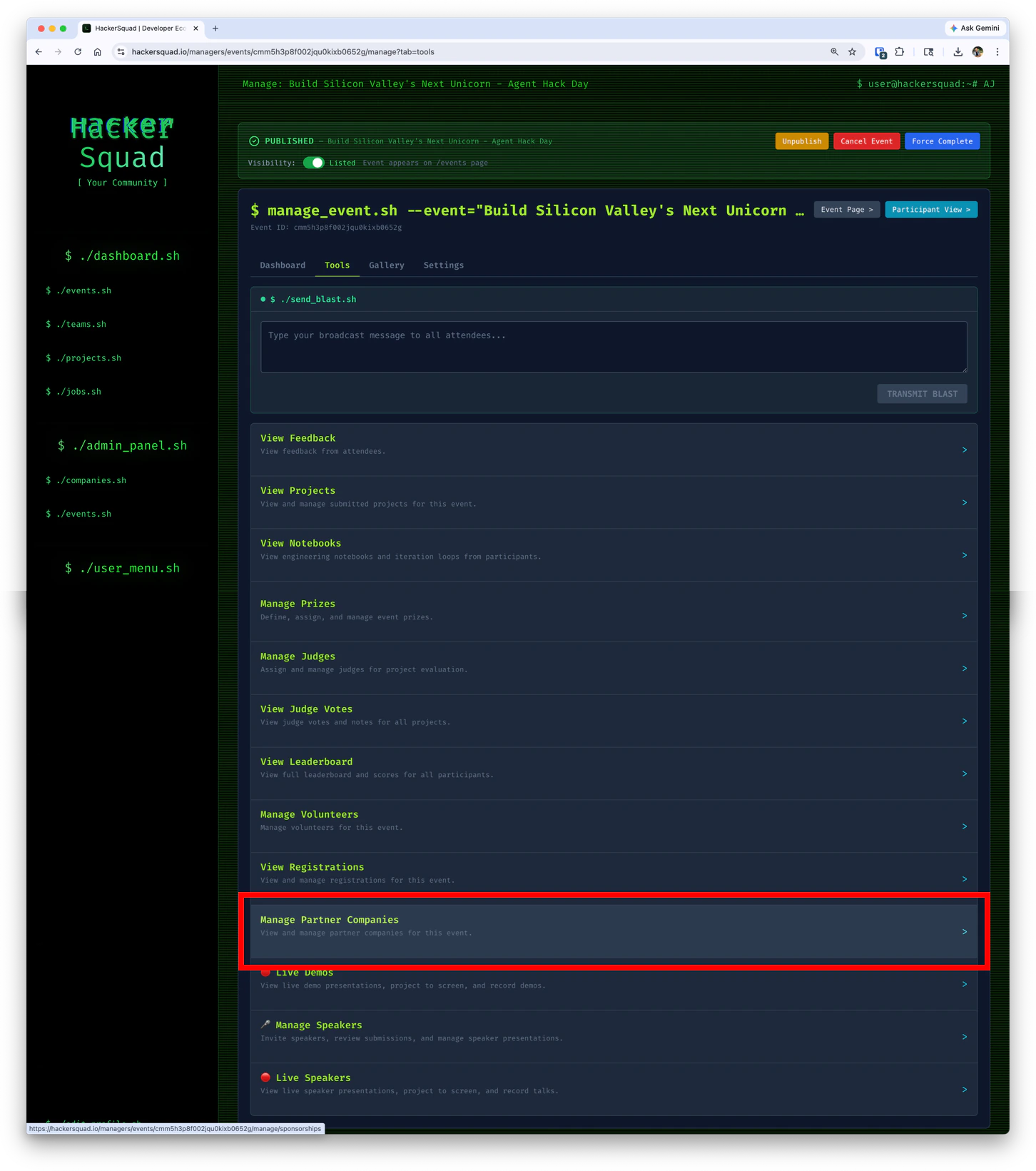
To add a partner company, open your event management view and go to the partner companies section.
## Why partner companies matter
Partner companies shape the technical narrative of your event. A strong partner mix helps builders move beyond a single feature or workflow.
For example, one company might provide infrastructure, another might provide AI tooling, and another might provide communications or payments. Together, those tools help builders create projects that feel more realistic and more complete.
Add partner companies before your event begins so builders can see the available tools from the start.
## Add a partner company
To add a partner company, open your event management view and go to the partner companies section.
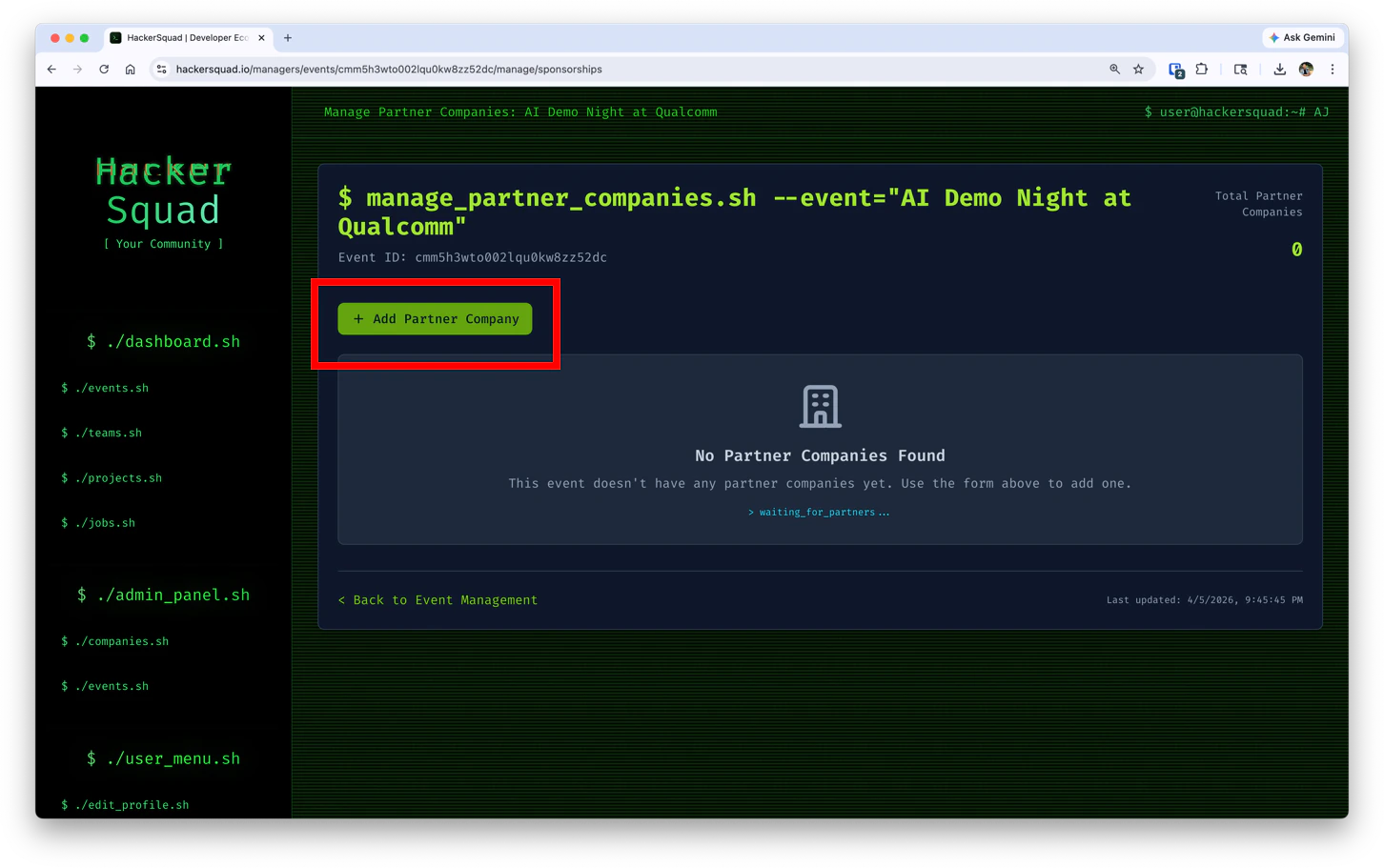 Click **Add Partner Company** to open the form.
 ## Complete the form
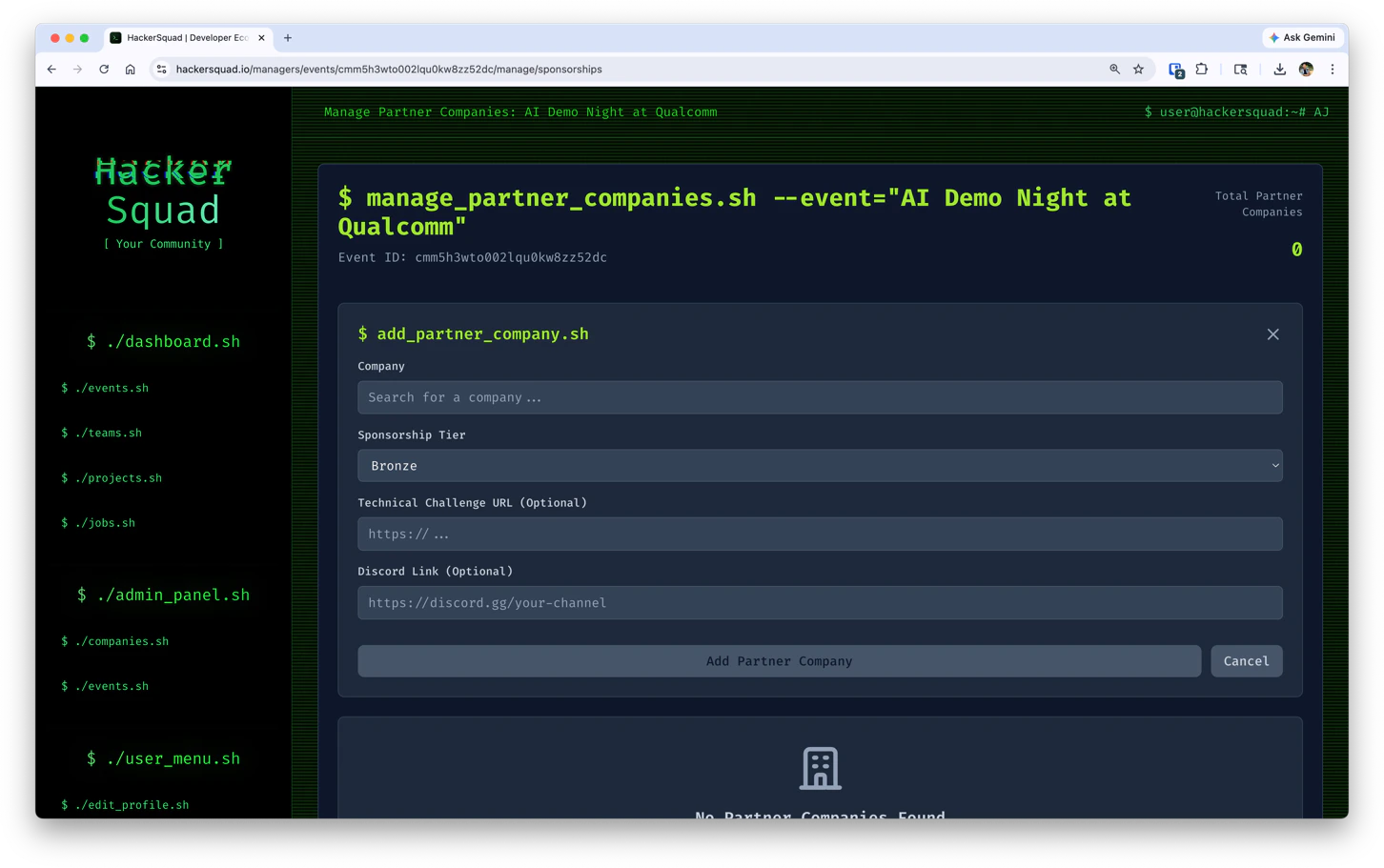
Use the form to connect a company to your event and give builders the right context for how to use that partner.
| Field | What to enter |
| -------------------------------------- | ---------------------------------------------------------------------------------------------------------------------- |
| **Company** | Search for and select the partner company you want to attach to the event. |
| **Sponsorship Tier** | Choose the sponsorship level for that company, such as Bronze. |
| **Technical Challenge URL (Optional)** | Add a link to the partner's challenge, prompt, or technical brief if they are sponsoring a specific builder challenge. |
| **Discord Link (Optional)** | Add the partner's Discord channel or support link so builders can ask questions during the event. |
After you complete the form, click **Add Partner Company** to save the company to your event.
## How to choose the right partners
Choose companies whose tools work well together. The best partner sets usually help builders cover multiple parts of a project, such as:
* Building the core product
* Adding AI or automation
* Handling data, infrastructure, or deployment
* Supporting communication, authentication, or payments
When your partners are complementary, builders can create projects with a clearer end-to-end story.
## Next steps
Give the right teammates access to help run the event.
Set up prizes that align with your partner companies and event goals.
## Complete the form
Use the form to connect a company to your event and give builders the right context for how to use that partner.
| Field | What to enter |
| -------------------------------------- | ---------------------------------------------------------------------------------------------------------------------- |
| **Company** | Search for and select the partner company you want to attach to the event. |
| **Sponsorship Tier** | Choose the sponsorship level for that company, such as Bronze. |
| **Technical Challenge URL (Optional)** | Add a link to the partner's challenge, prompt, or technical brief if they are sponsoring a specific builder challenge. |
| **Discord Link (Optional)** | Add the partner's Discord channel or support link so builders can ask questions during the event. |
After you complete the form, click **Add Partner Company** to save the company to your event.
## How to choose the right partners
Choose companies whose tools work well together. The best partner sets usually help builders cover multiple parts of a project, such as:
* Building the core product
* Adding AI or automation
* Handling data, infrastructure, or deployment
* Supporting communication, authentication, or payments
When your partners are complementary, builders can create projects with a clearer end-to-end story.
## Next steps
Give the right teammates access to help run the event.
Set up prizes that align with your partner companies and event goals.