> ## Documentation Index
> Fetch the complete documentation index at: https://docs.hackersquad.io/llms.txt
> Use this file to discover all available pages before exploring further.
# Send event blast
> Send in-product updates to builders so they can quickly find resources and important event information on HackerSquad.
Blasts make it easy to send information to builders quickly during an event. They are a useful way to point builders to resources, reminders, and updates that are available directly inside HackerSquad.
Blasts do not send email. Instead, they help you notify builders inside the platform so they can find what they need without leaving the event experience.
## Why blasts matter
Blasts are especially helpful when you want to quickly direct builders to something important during the hackathon.
For example, you might use a blast to:
* Share a resource page
* Point builders to event instructions
* Announce that new information is available on HackerSquad
* Remind attendees where to find key links during the event
This works well alongside live announcements. For example, an event host can mention on the mic that a blast was just sent with resources builders can open on HackerSquad.
## Send a blast from event management
Event managers can send blasts from the event management tool.
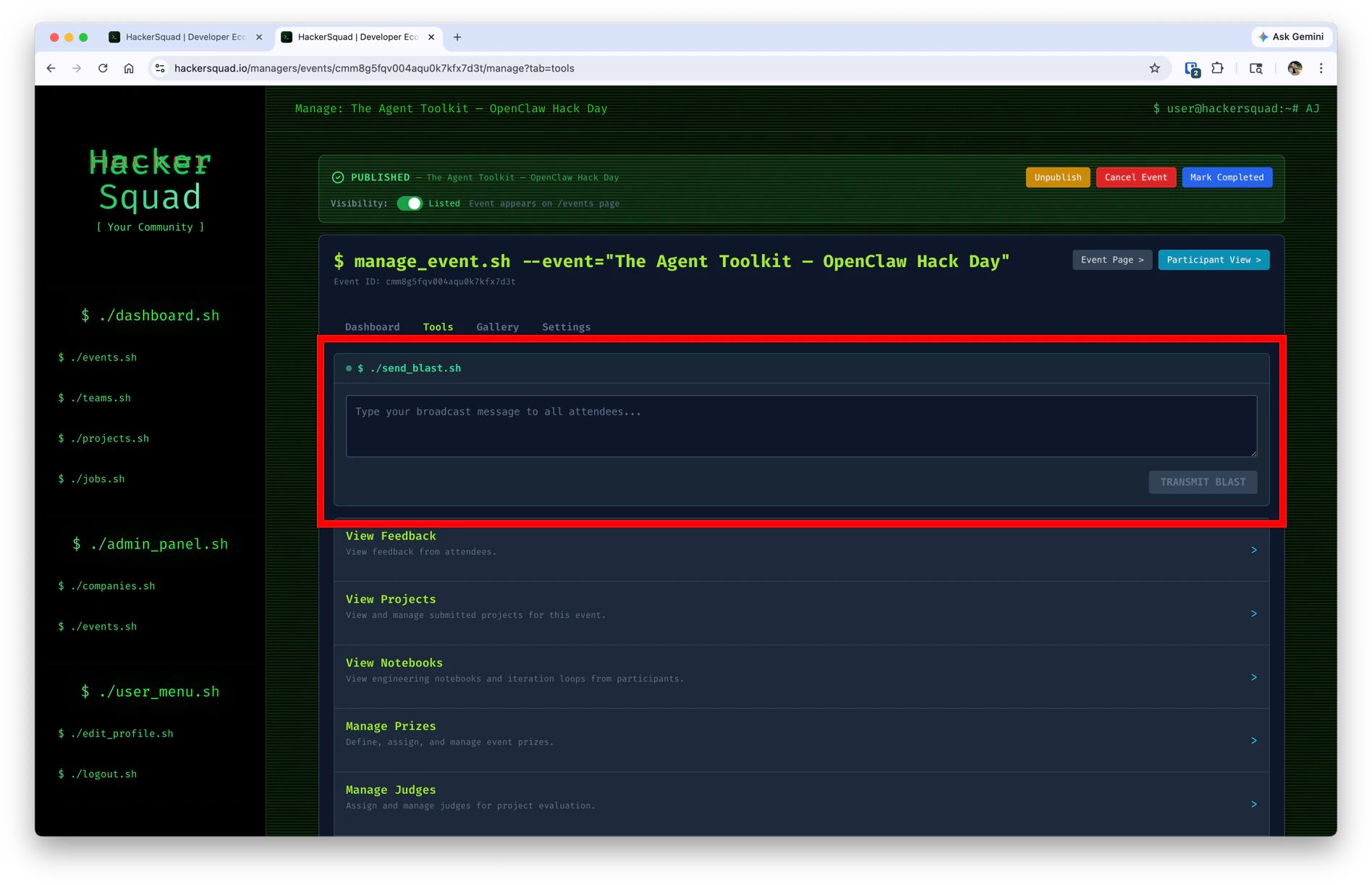 Use this area to create and send short updates to the builders in your event.
Keep blasts short and action-oriented so builders can immediately understand what changed and where they should go next.
## Where builders see blasts
Builders see blasts in the builder dashboard.
Use this area to create and send short updates to the builders in your event.
Keep blasts short and action-oriented so builders can immediately understand what changed and where they should go next.
## Where builders see blasts
Builders see blasts in the builder dashboard.
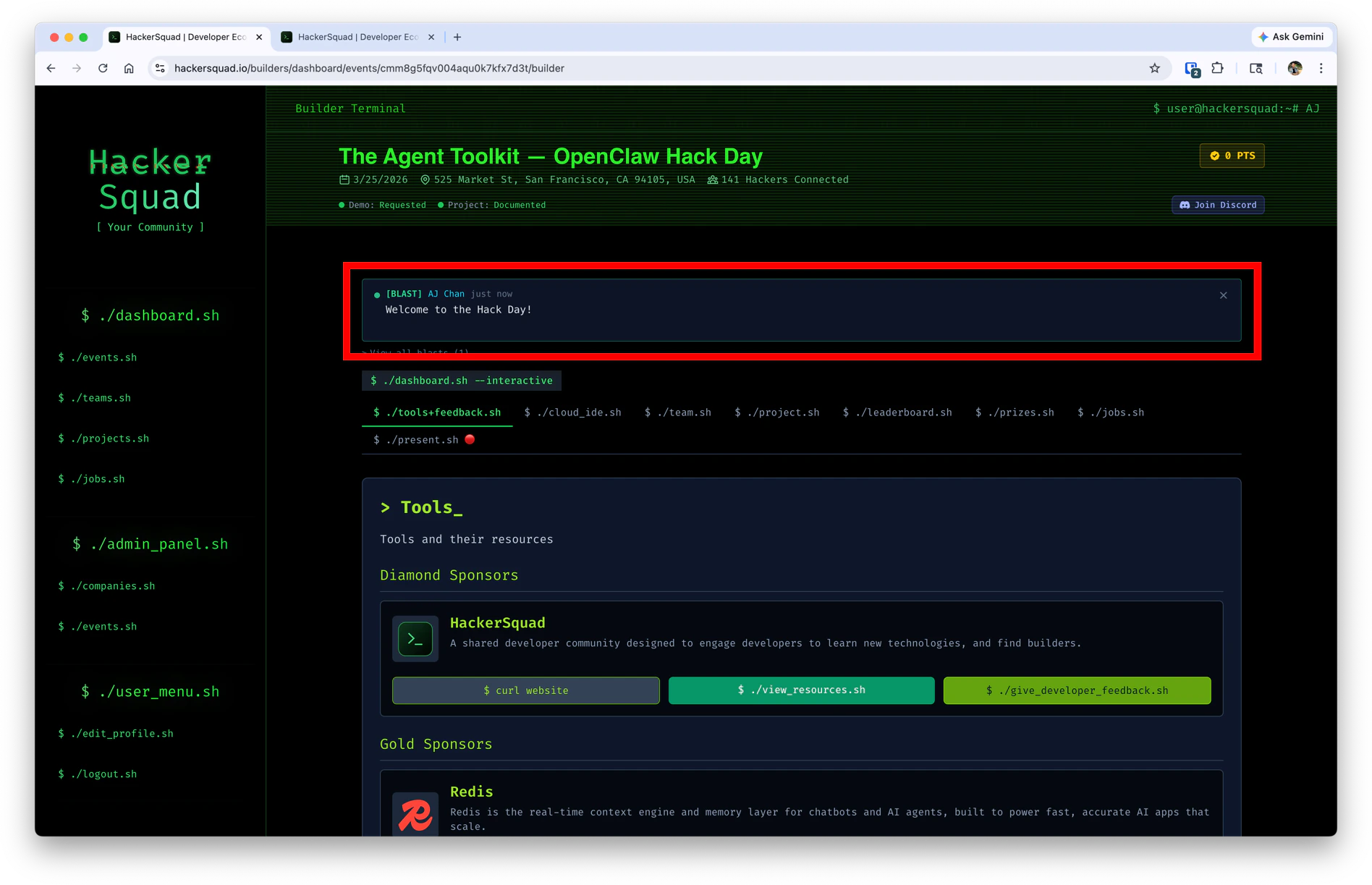 Because blasts appear inside the event experience, they are a strong way to reinforce directions you already shared in person, in chat, or during kickoff.
## Best practices
Use blasts when you want builders to take a clear action right away.
Good blast messages usually:
* Tell builders what is available
* Explain why it matters
* Point them to the right place in HackerSquad
* Stay short enough to scan quickly
## Next steps
Review builder feedback and encourage more responses during the event.
Set up live demo capture for builders presenting during the event.
Because blasts appear inside the event experience, they are a strong way to reinforce directions you already shared in person, in chat, or during kickoff.
## Best practices
Use blasts when you want builders to take a clear action right away.
Good blast messages usually:
* Tell builders what is available
* Explain why it matters
* Point them to the right place in HackerSquad
* Stay short enough to scan quickly
## Next steps
Review builder feedback and encourage more responses during the event.
Set up live demo capture for builders presenting during the event.