

project.sh tab. This is where you enter the core details of your project for the hackathon.
Project submission is the first part of the review process. After you submit these details, you also need to submit your project video through HackerSquad.
Open the project details form
From the Builder Portal, navigate to theproject.sh tab and complete the project details form.
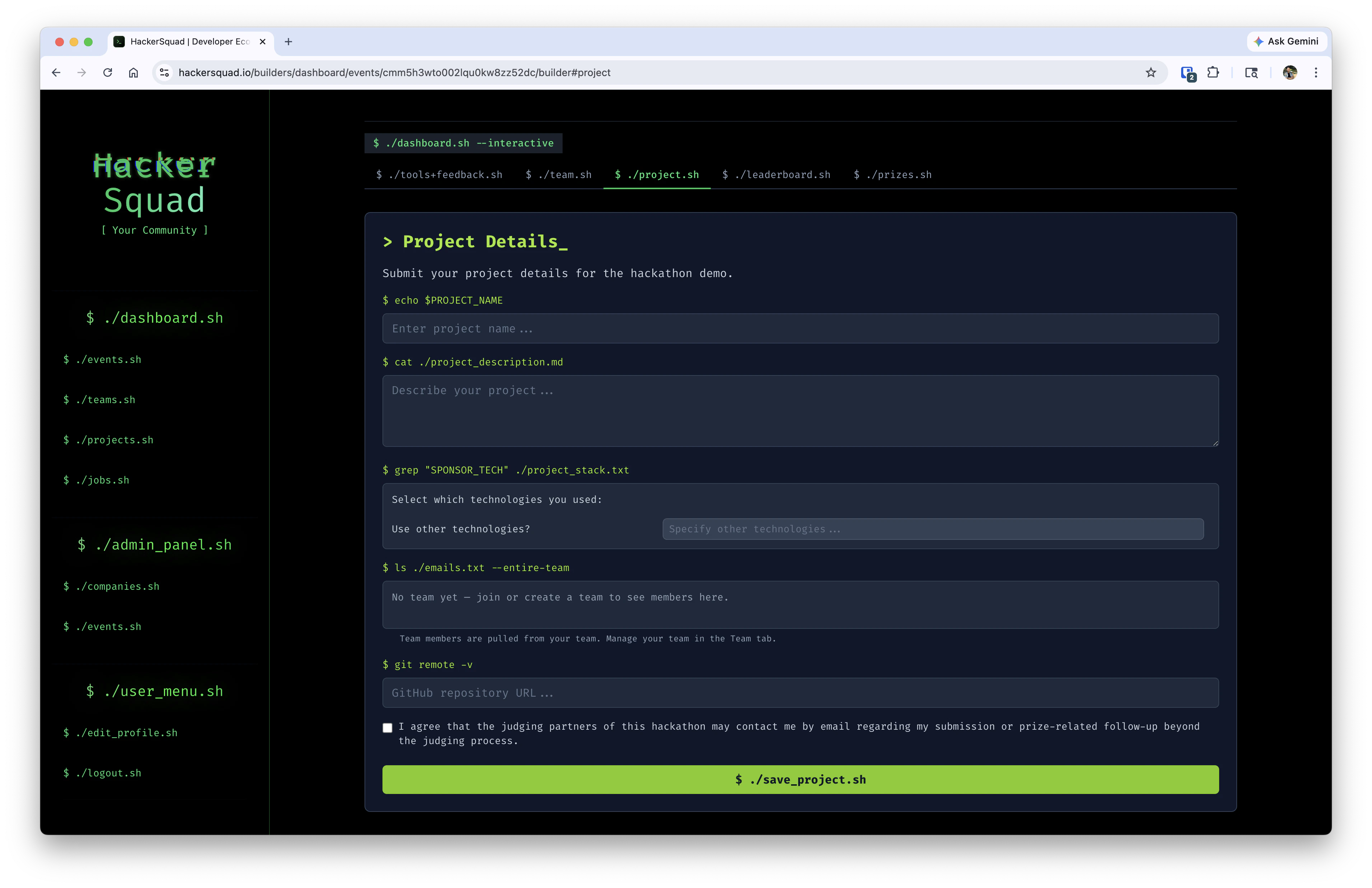
Complete the project details
Fill out each part of the form carefully so event managers, judges, and partners can understand what you built.
After you complete the form, click
./save_project.sh to save your project submission.
Submit your project video next
Submitting the project details form is not the final step. After this, you must also submit your project video through HackerSquad. The video submission is required because it helps the teams managing the hackathon review your project successfully. A video gives organizers and judges a reliable way to understand your demo, even if they cannot see the project live in person. When you begin the video submission flow, go through these three steps to start the recording:- Select the screen to share. We recommend sharing your entire screen.
- Enable camera and mic.
- Click Start Recording.
Why the video matters
Your project video helps reviewers:- Understand what your project does
- See the product in action
- Review your submission consistently
- Compare projects more fairly across the event
Next steps
Builder home
Return to the Builder Portal and continue the rest of your submission flow.
Manage feedback
Review other builder workflows available from the Builder Portal.