

Set up a base station
To capture live demos, you need a computer connected to the main display in the room. This computer acts as the base station for live presentations. The base station is responsible for receiving requests to go live, showing presenter content on the room display, and helping route the demo experience through HackerSquad. On the base station computer, open the event manager dashboard in HackerSquad. This dashboard contains the navigation items that allow the base station to receive requests from speakers and demo presenters.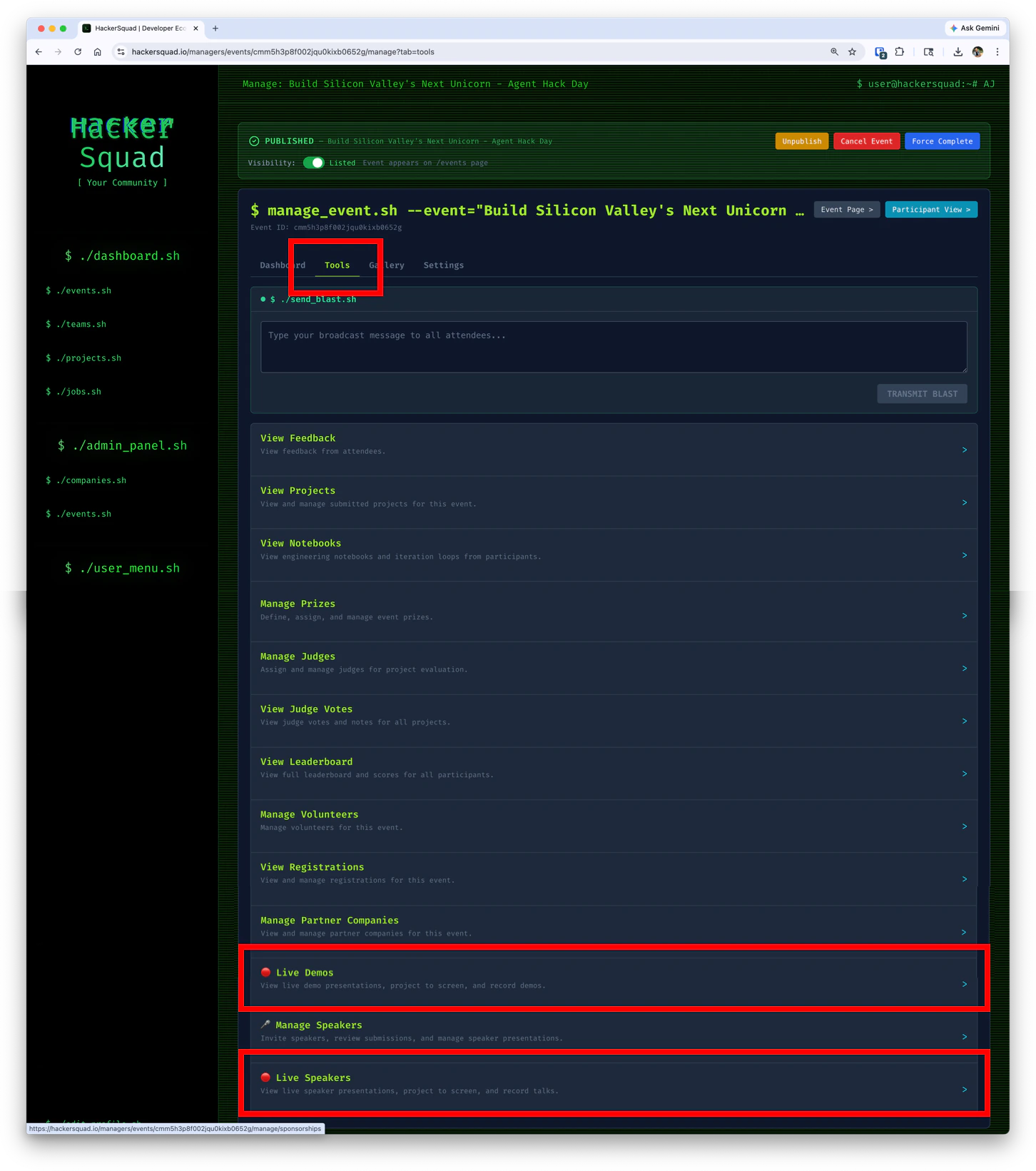
Start the live viewer session
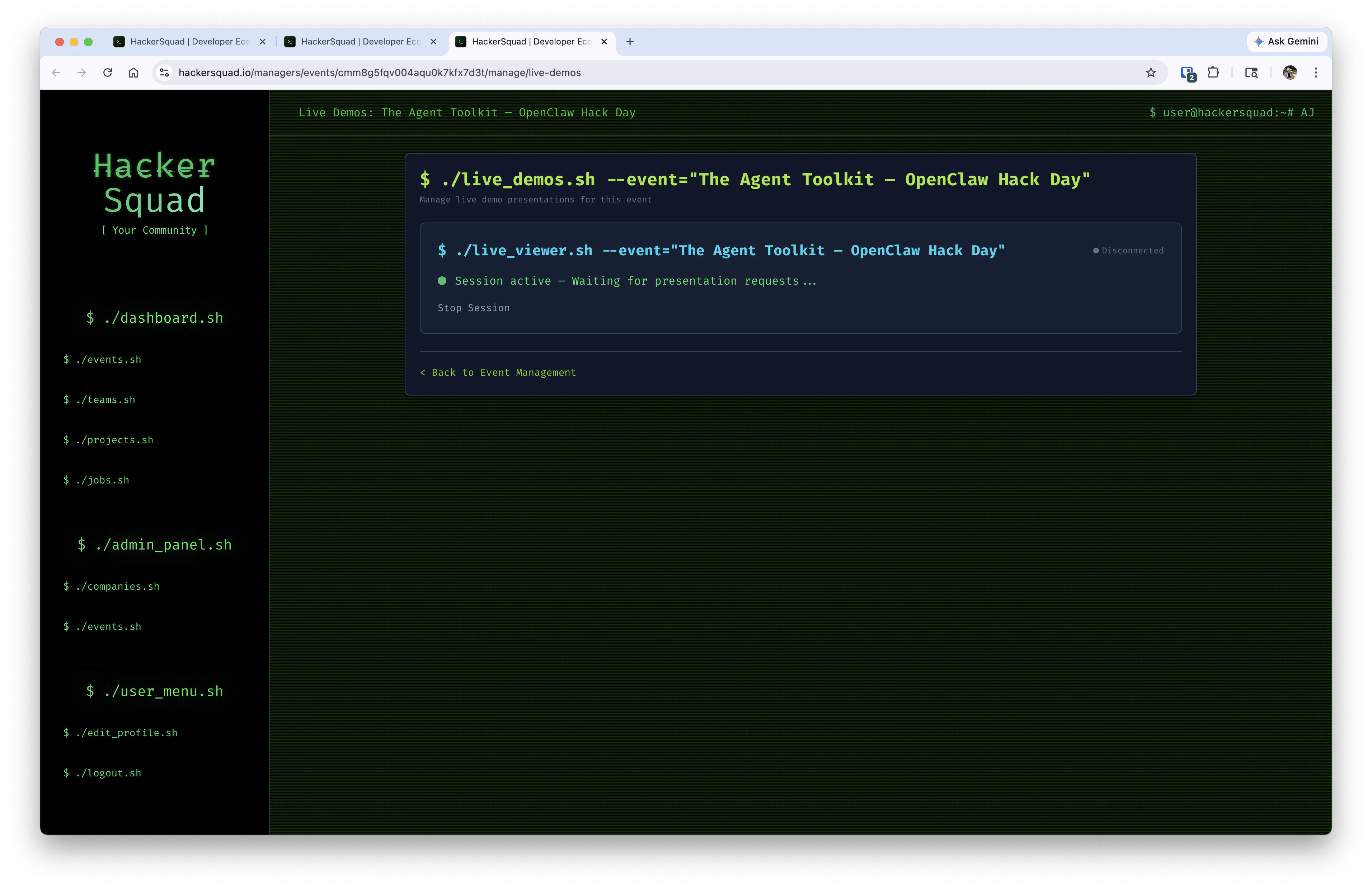
On the base station, open the live viewer tool and click Start Session.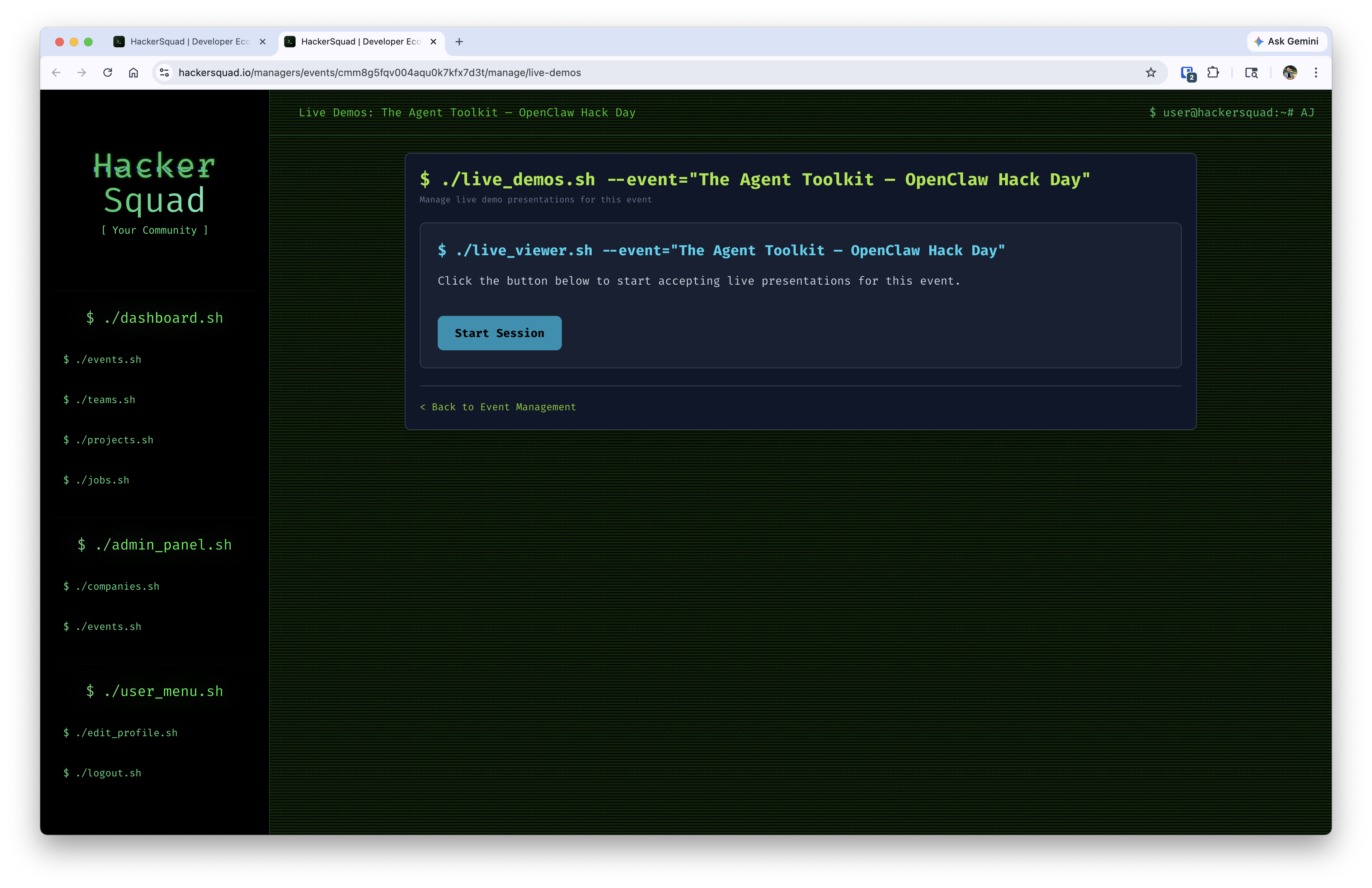
How presenters request to go live
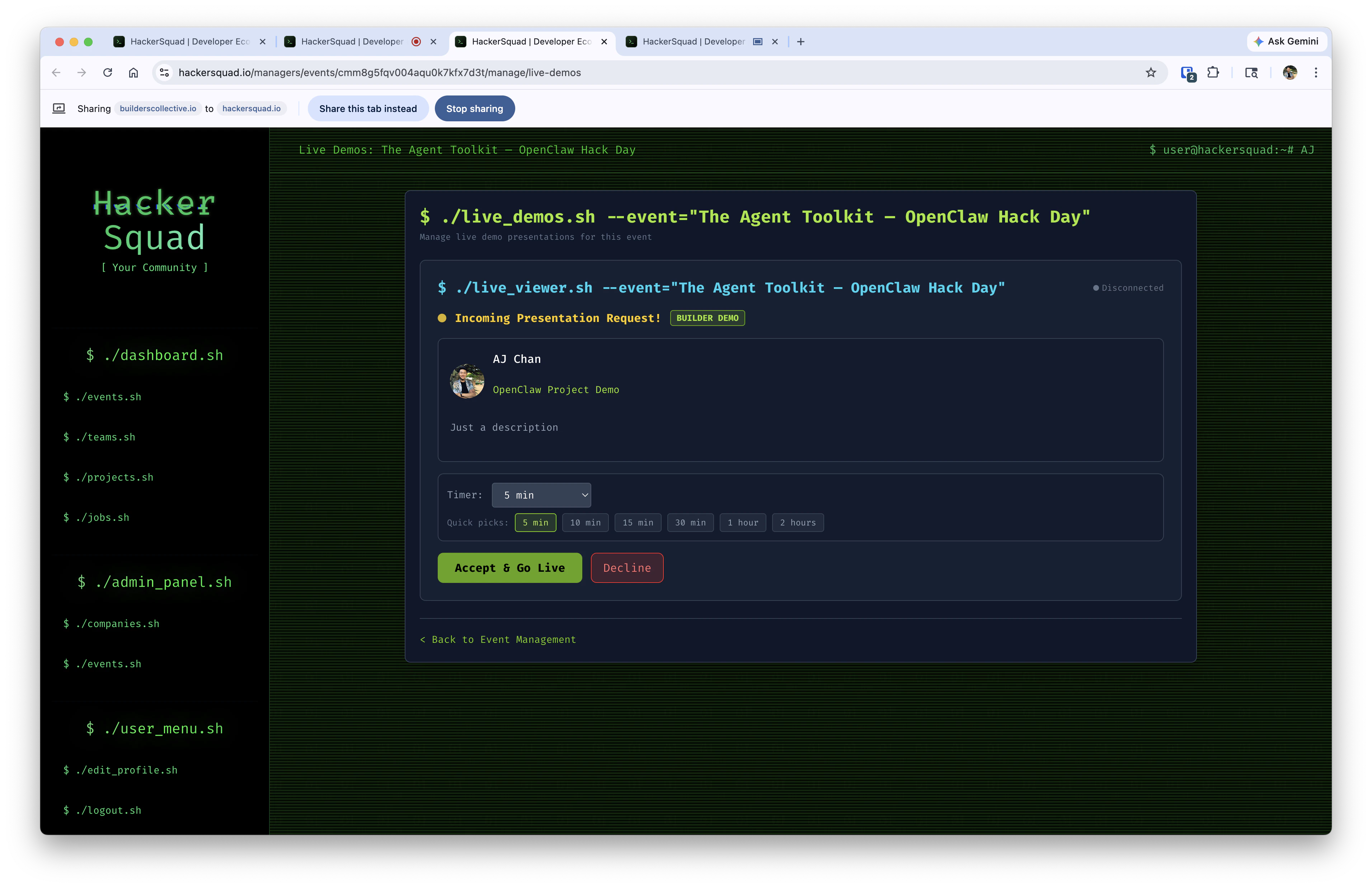
When a speaker or builder is ready to present, they request to go live directly in HackerSquad.- The builder opens the event experience and starts the presentation flow in HackerSquad.
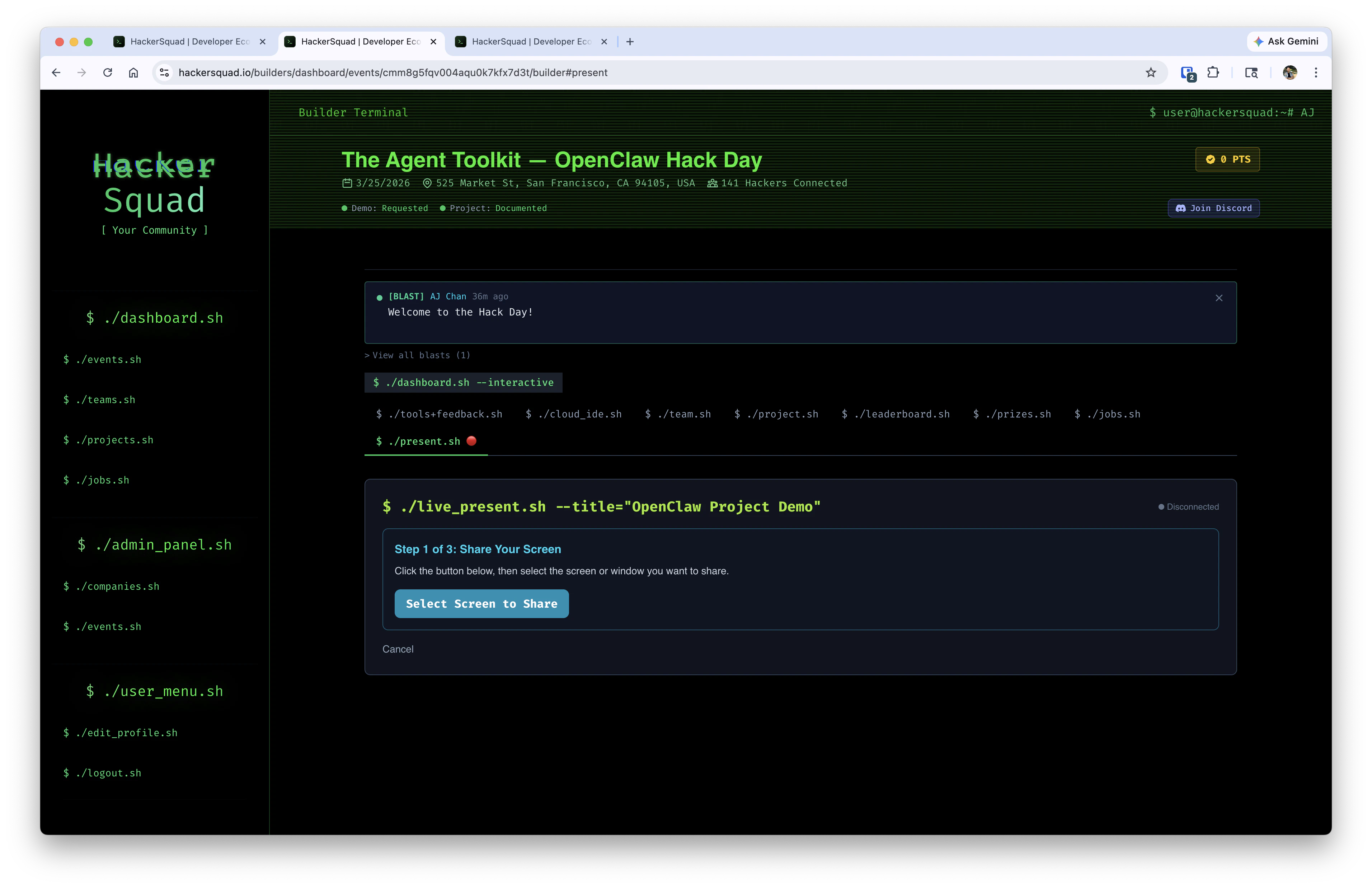
- The builder continues through the present flow and confirms they want to present.
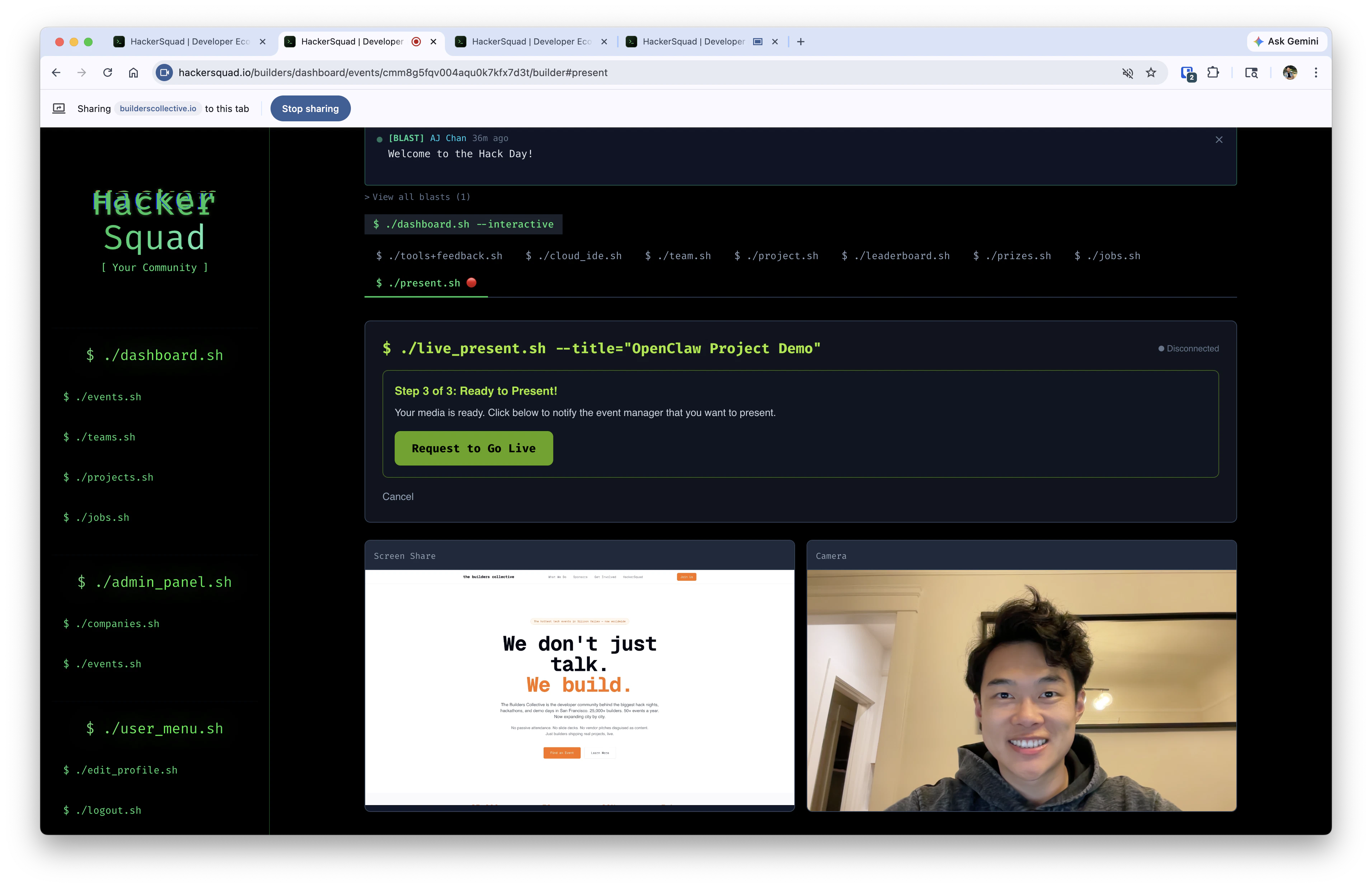
- The request is sent through HackerSquad so the base station can receive it and prepare the room display.
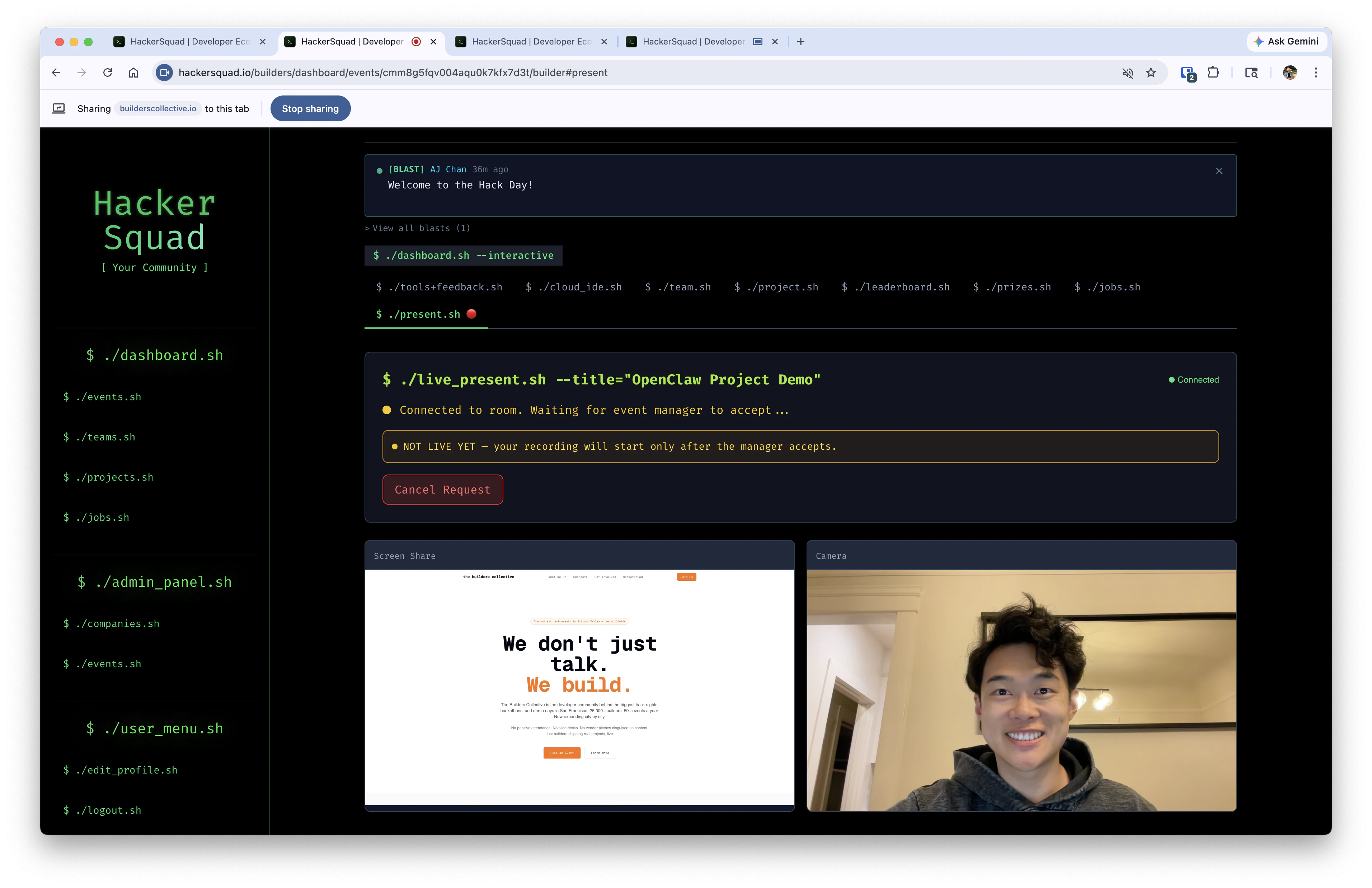
How the demo display works
The display-connected base station is the machine responsible for showing the presenter’s shared screen to the room. This setup allows the speaker or presenter to stream wirelessly from their laptop while the base station delivers that content to the larger display. It creates a smoother live-demo experience without requiring every presenter to plug directly into the room hardware.What HackerSquad captures
As live demos run through HackerSquad, the platform automatically captures:- Video footage
- Presentation materials
- Demo content
Why live demo capture matters
Captured demos help extend the value of the event after it ends. Instead of losing presentations once the room clears out, you can keep a record of what builders and speakers shared live. That captured content also supports the post-event summary. When your live demos are recorded through HackerSquad, they can contribute to the final event recap alongside projects, speakers, and other event activity.Next steps
Capture live presentations
Set up a similar workflow for live presentations during the event.
Post event summary
See how captured demos contribute to the final event recap.