

Why event managers matter
You should add the people who need direct access to help run the event. This often includes team members from partner companies, selected judges, and anyone else who should actively manage event operations. When the right people have access, your team can respond faster, support builders more effectively, and keep the event moving without bottlenecks.Who to add
Add people who play an active role in running the event, such as:- Team members from partner companies
- Judges who need to review projects closely
- Internal teammates helping with event operations
- Community leads or moderators supporting builders during the event
Add an event manager
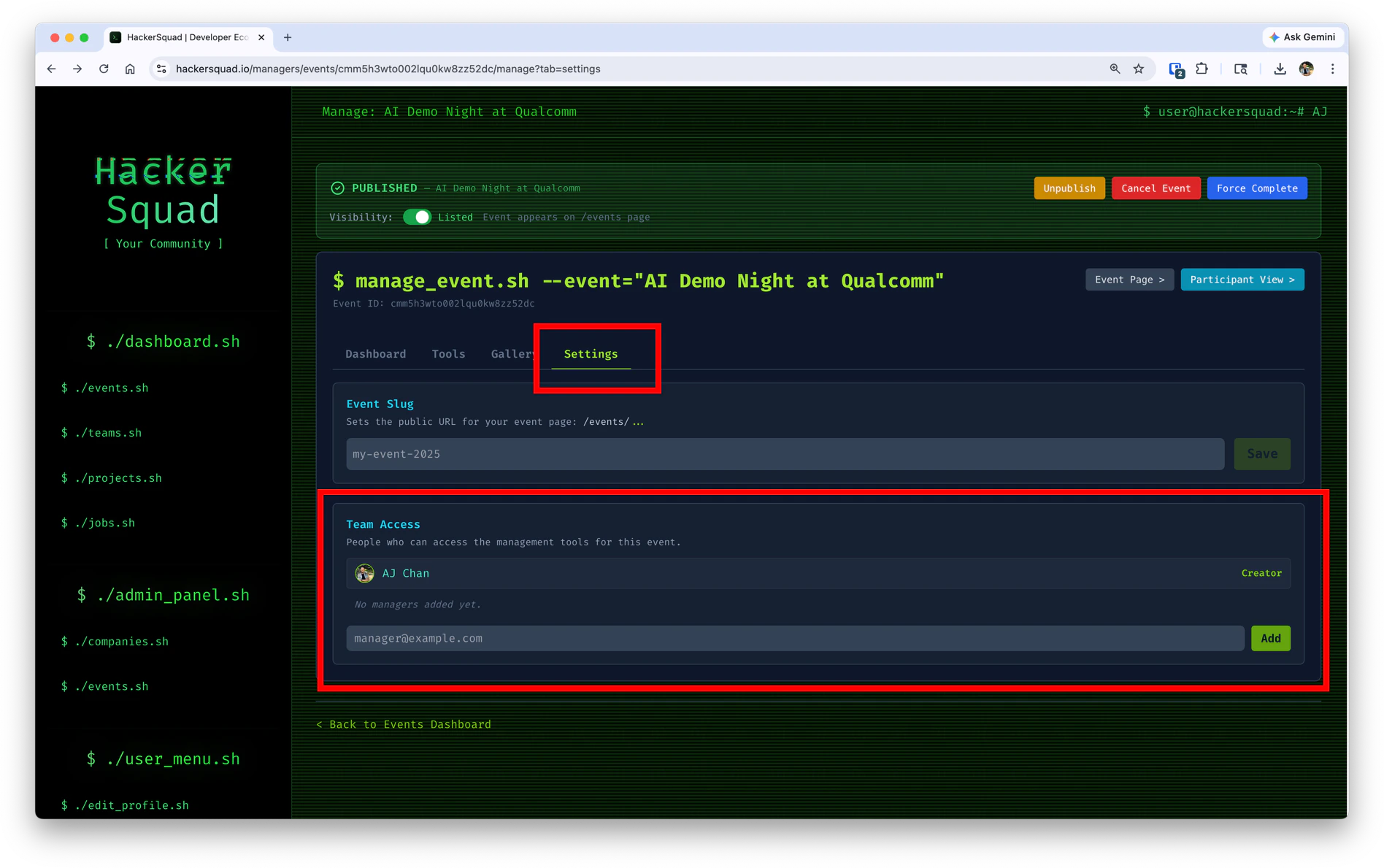
Open your event management portal and click Settings. In the Team Access section, enter the email address of the person you want to add and click Add. Use this list intentionally. Event managers should be trusted collaborators who are directly involved in hosting, reviewing, or supporting the event experience.Team access
The Team Access section is where you manage manager permissions for the event. Here, you can:- View who already has access to the event
- See who created the event
- Add new managers by email
When to add them
Add event managers before the event starts whenever possible. Early access gives your team time to get familiar with the portal, understand the event setup, and prepare to support builders once submissions and judging begin. This is especially helpful for partner company representatives who may need to answer questions about their tools or evaluate projects that use their products.Next steps
Manage prizes
Define the prizes that will guide builder submissions.
Manage volunteers
Create volunteer roles so your event team has enough support.