

Add speakers before the event
Start in the event management dashboard and open the speakers navigation.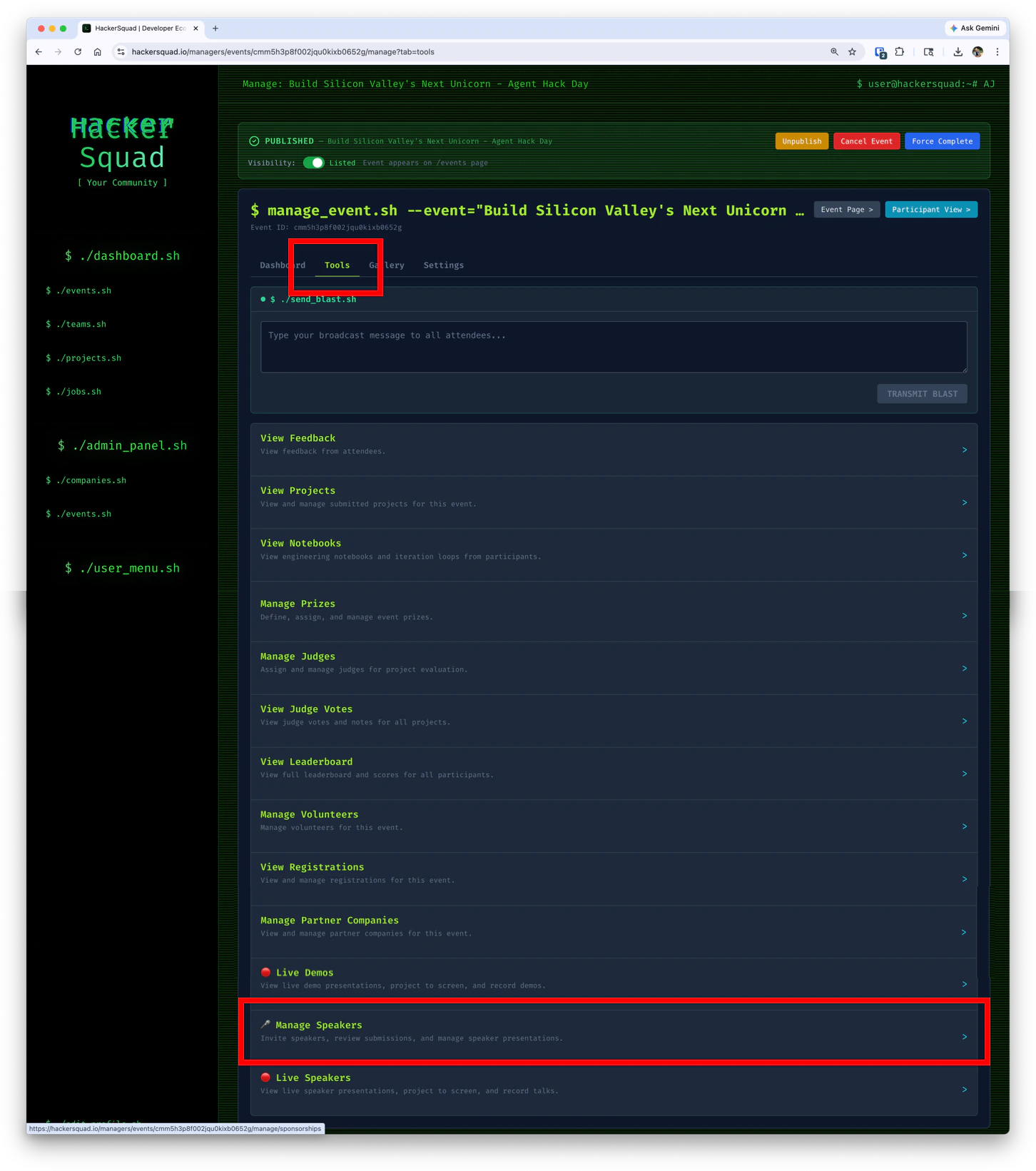
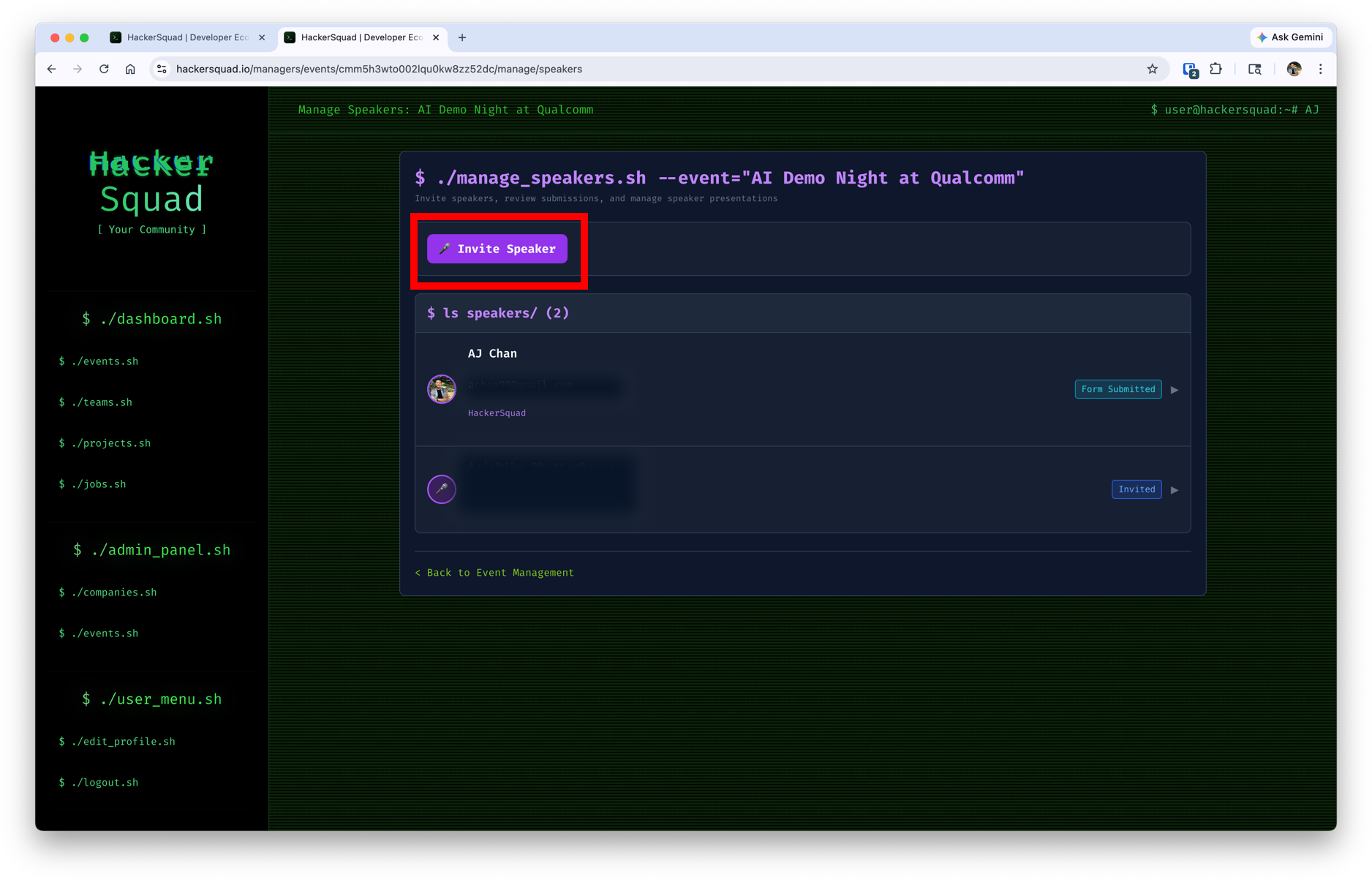
Invite and approve speakers
When you invite a speaker, HackerSquad sends them an automatic email with a form to complete.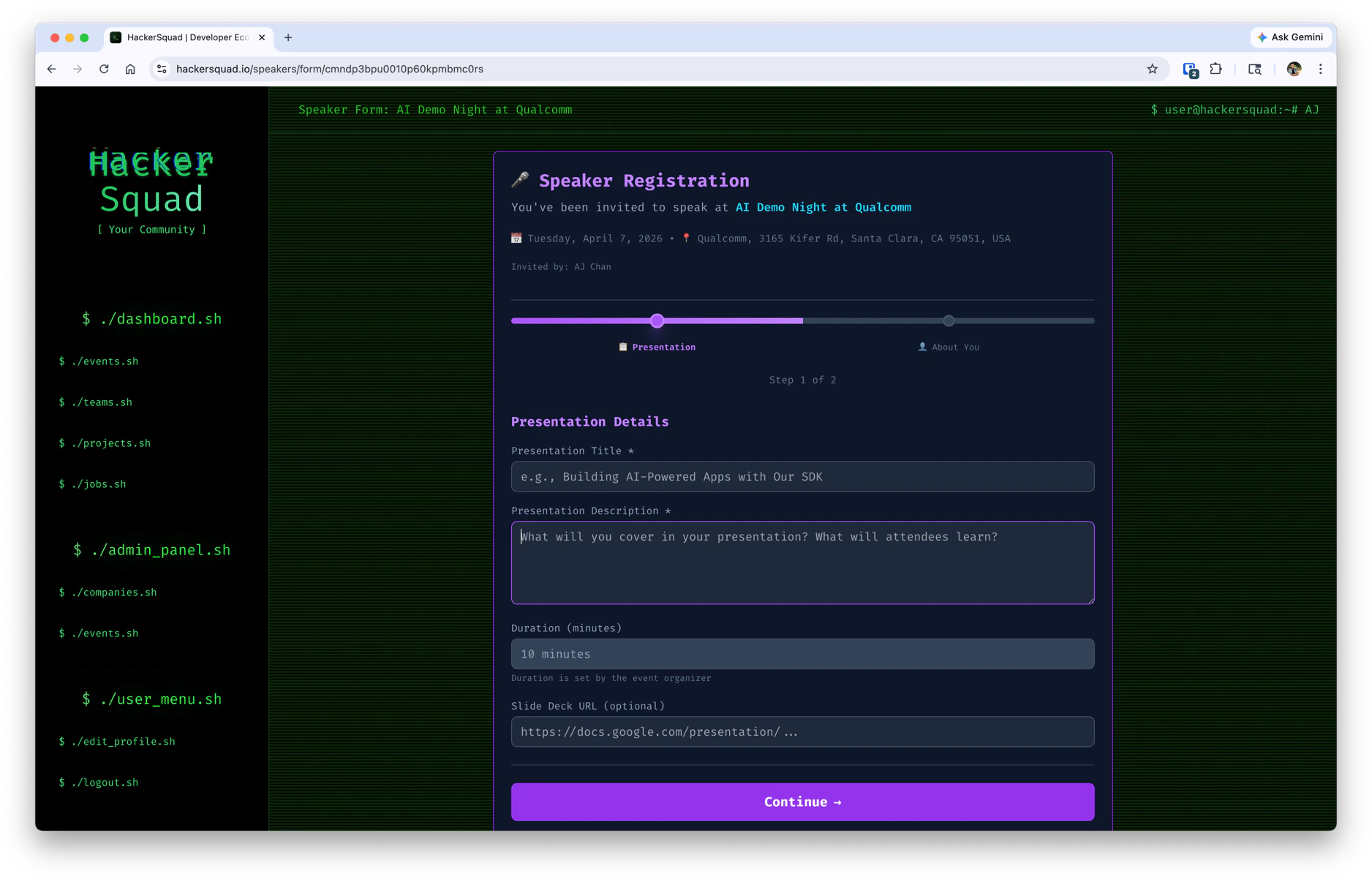
What speakers see
Once a speaker has been accepted, they will see a Present button on the builder dashboard.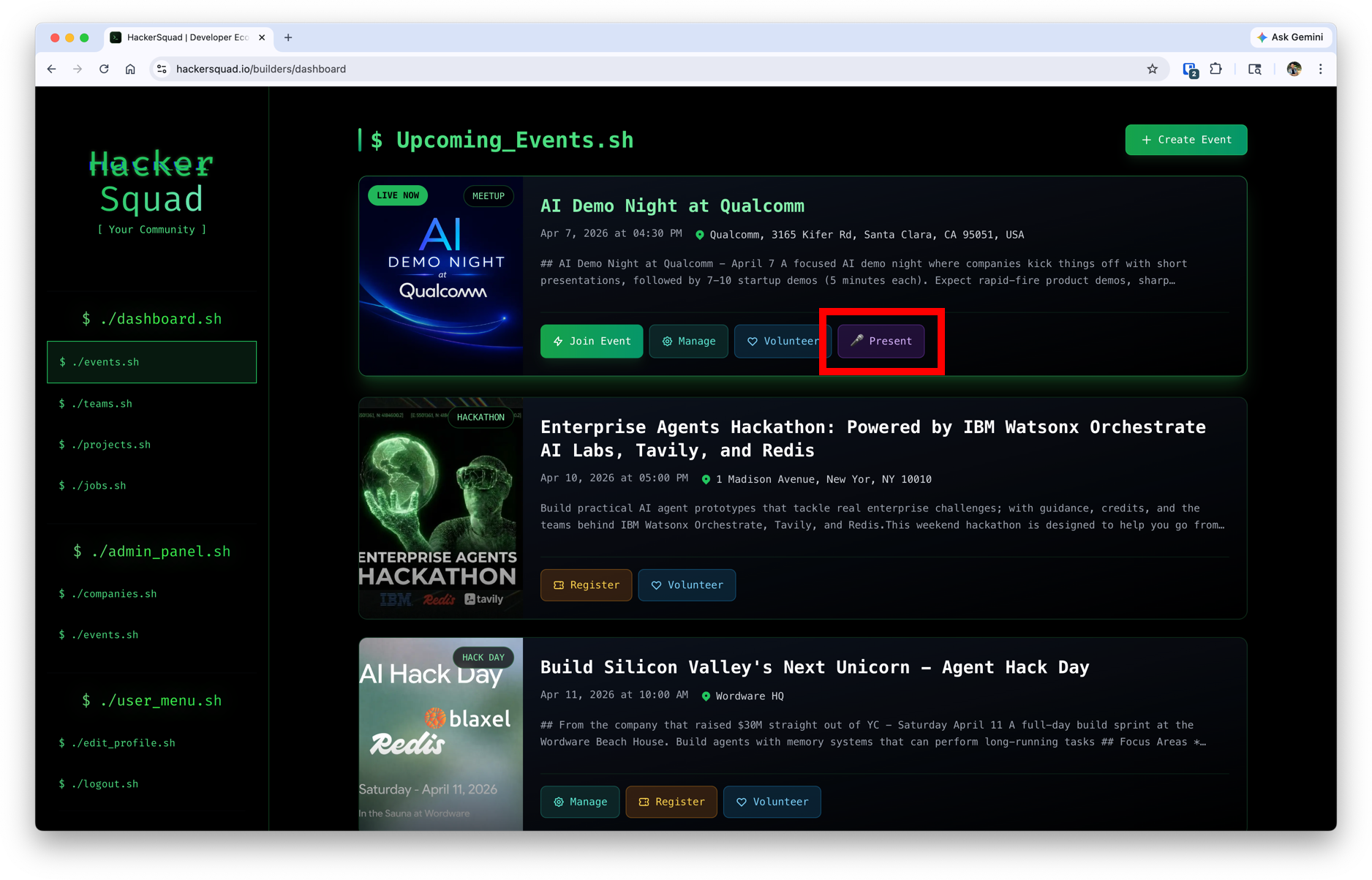
Set up a base station
To capture live presentations, you need a computer connected to the main display in the room. This computer acts as the base station for live presentations. The base station is responsible for receiving requests to go live, showing presenter content on the room display, and helping route the presentation experience through HackerSquad. On the base station computer, open the event manager dashboard in HackerSquad and select Live Speakers. This is the navigation flow the base station uses to receive requests from approved speakers.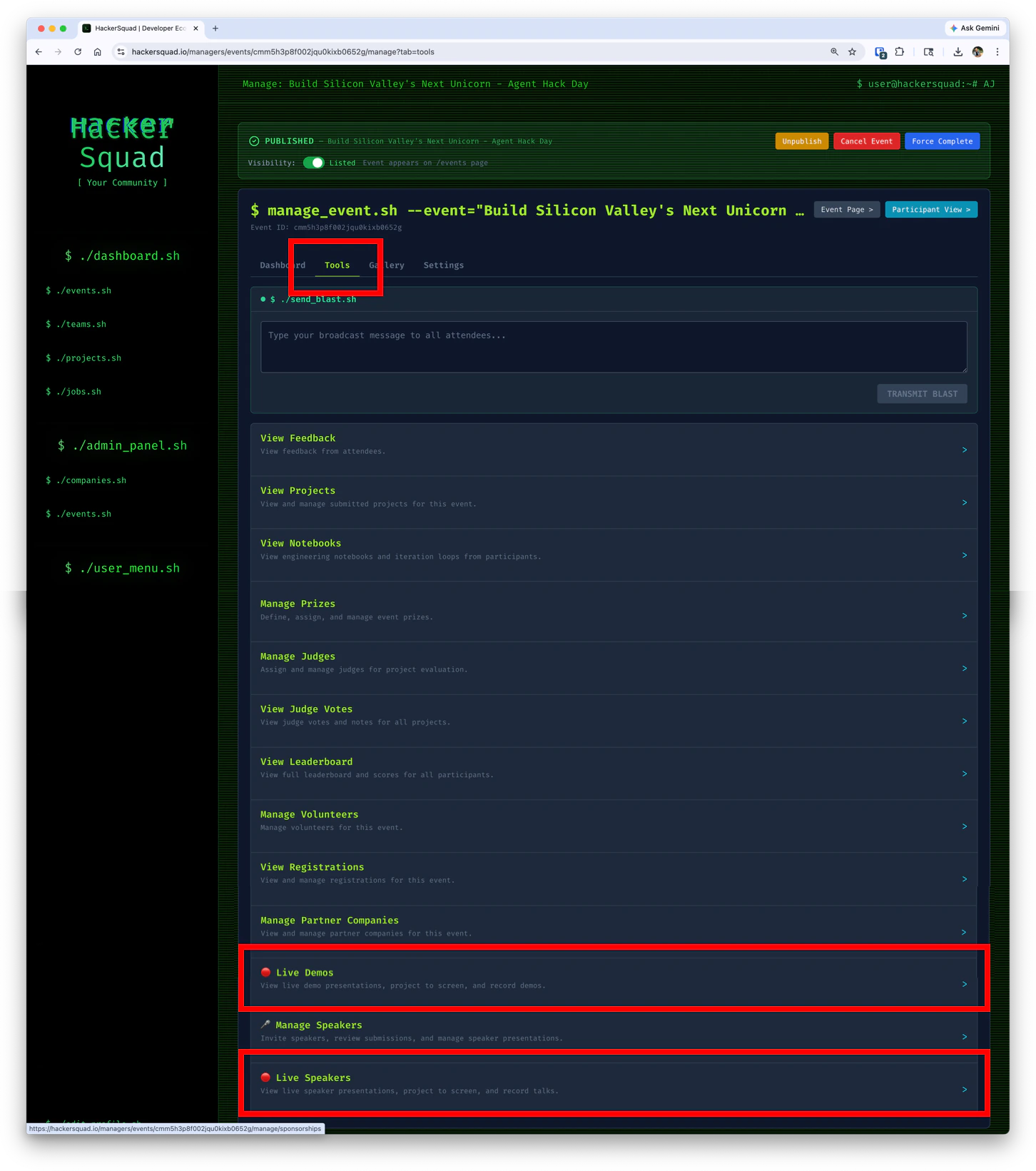
Start the live viewer session
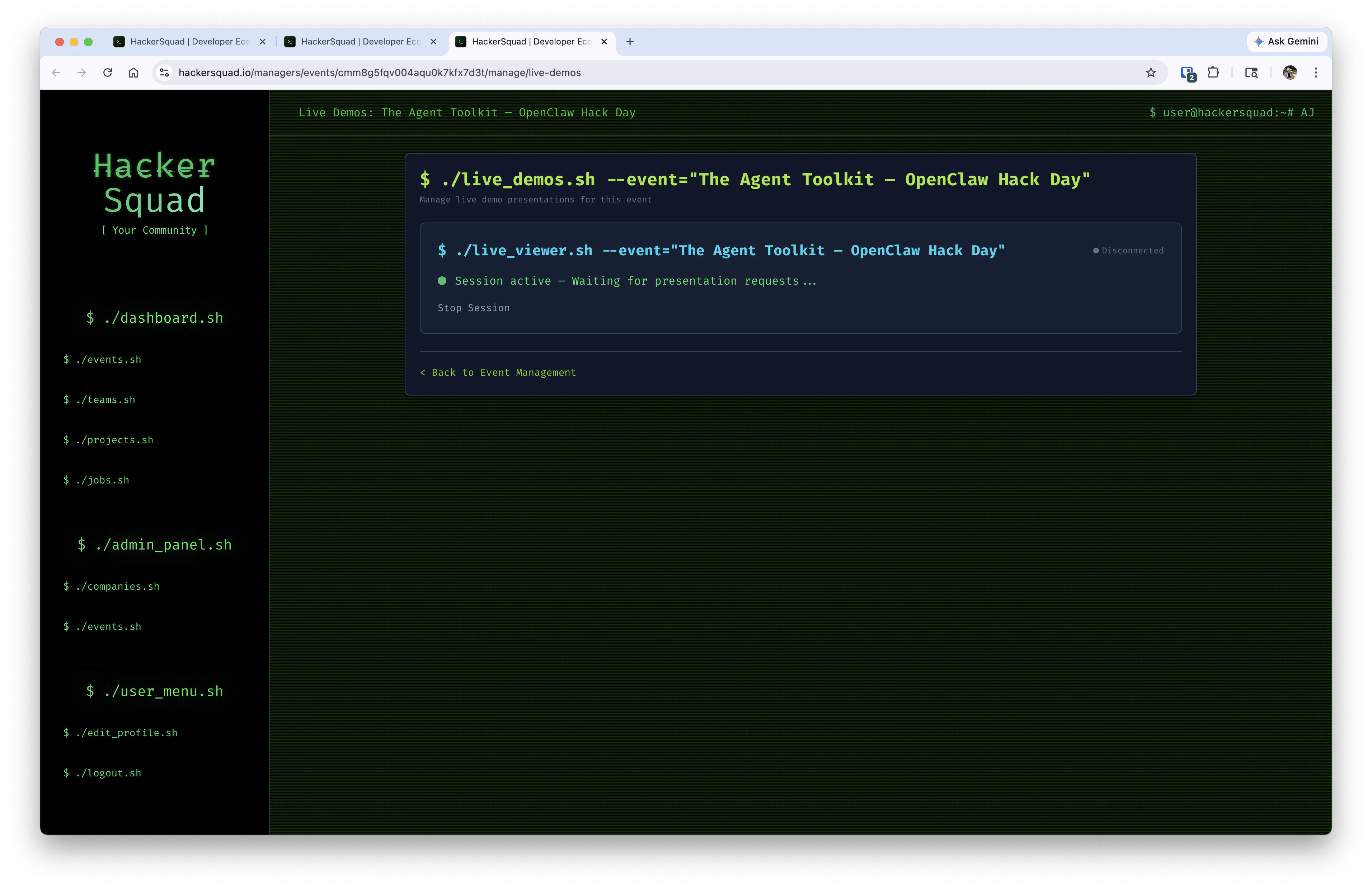
On the base station, open the live viewer tool and click Start Session.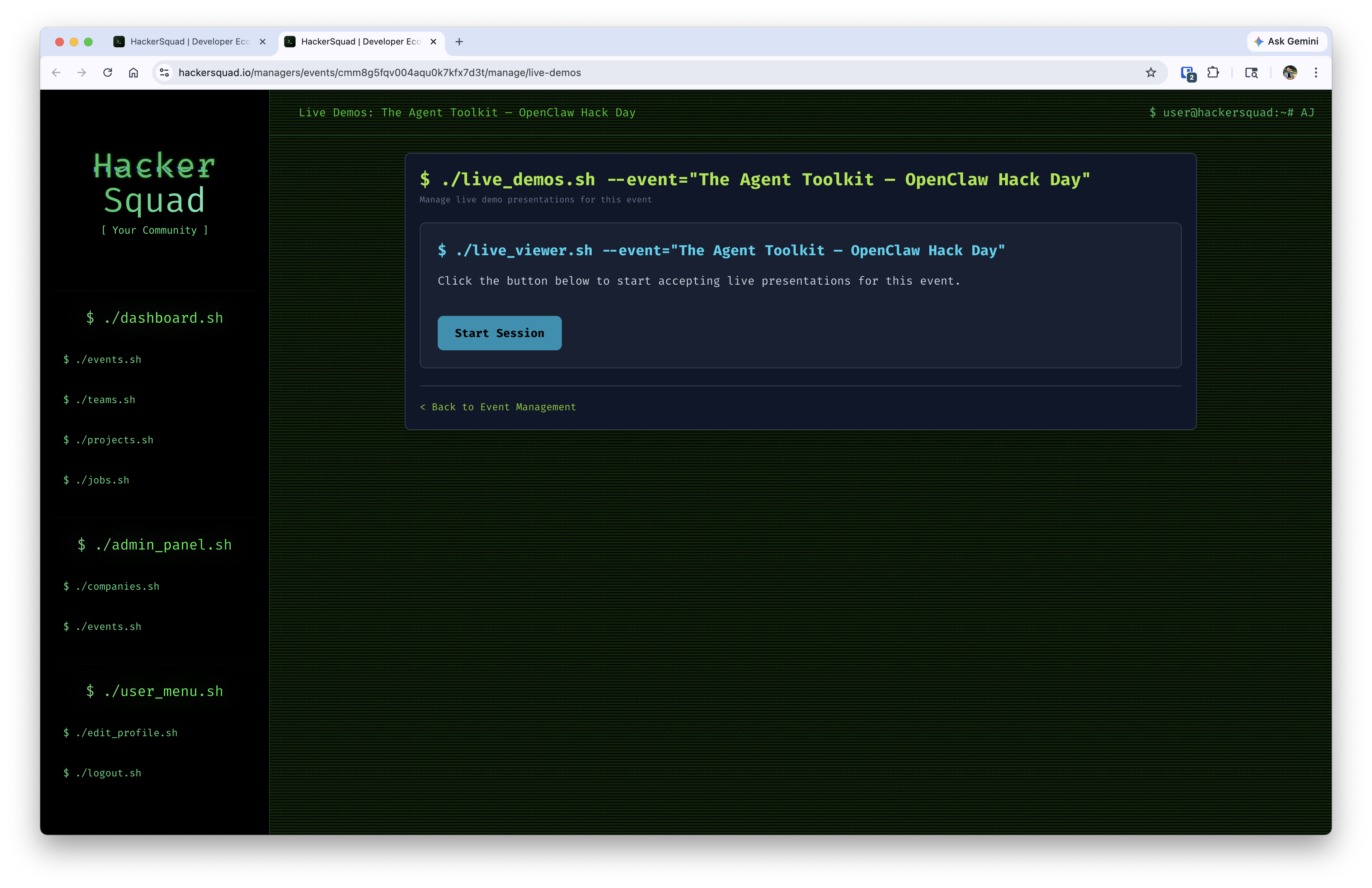
How speakers request to go live
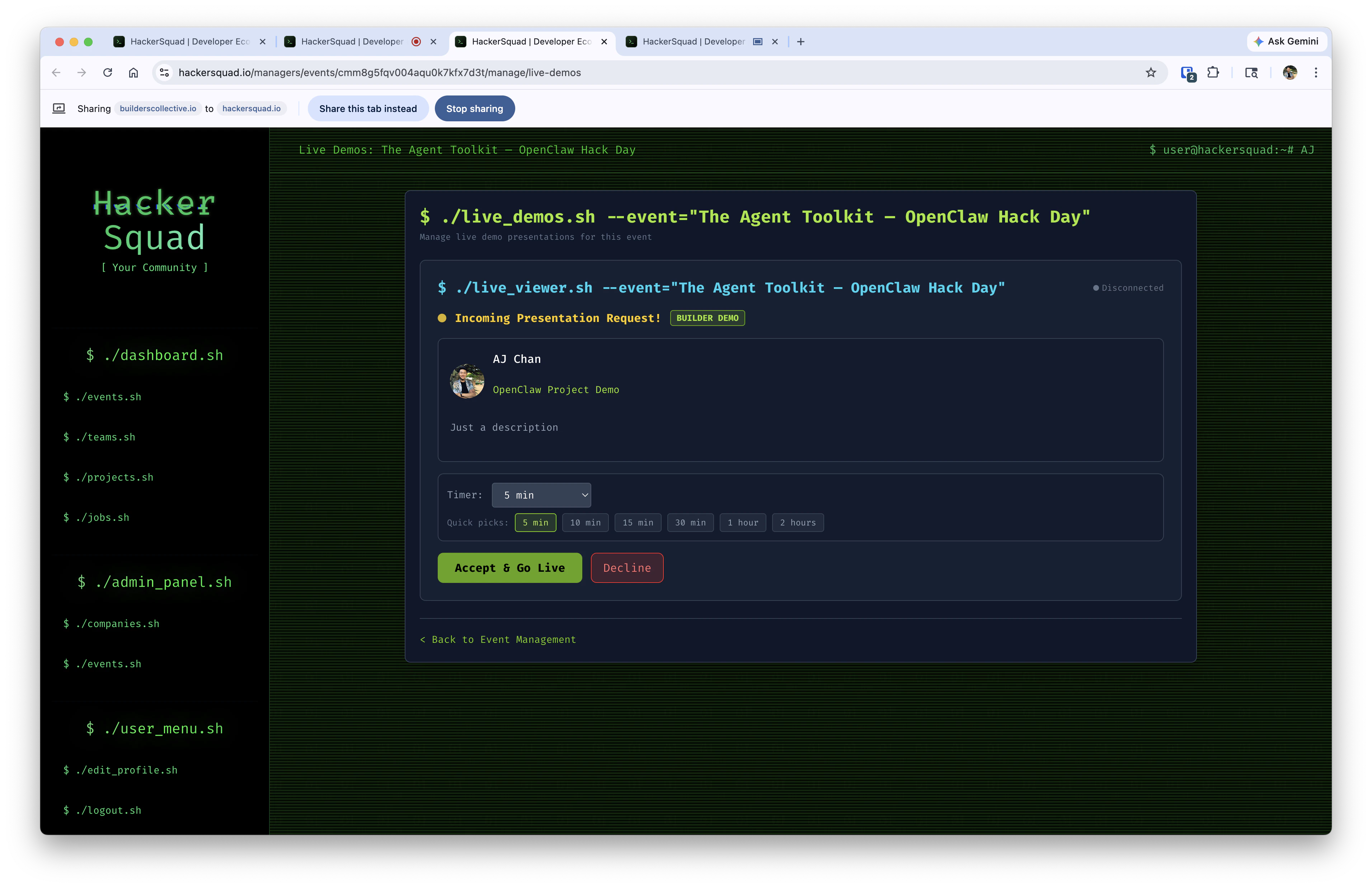
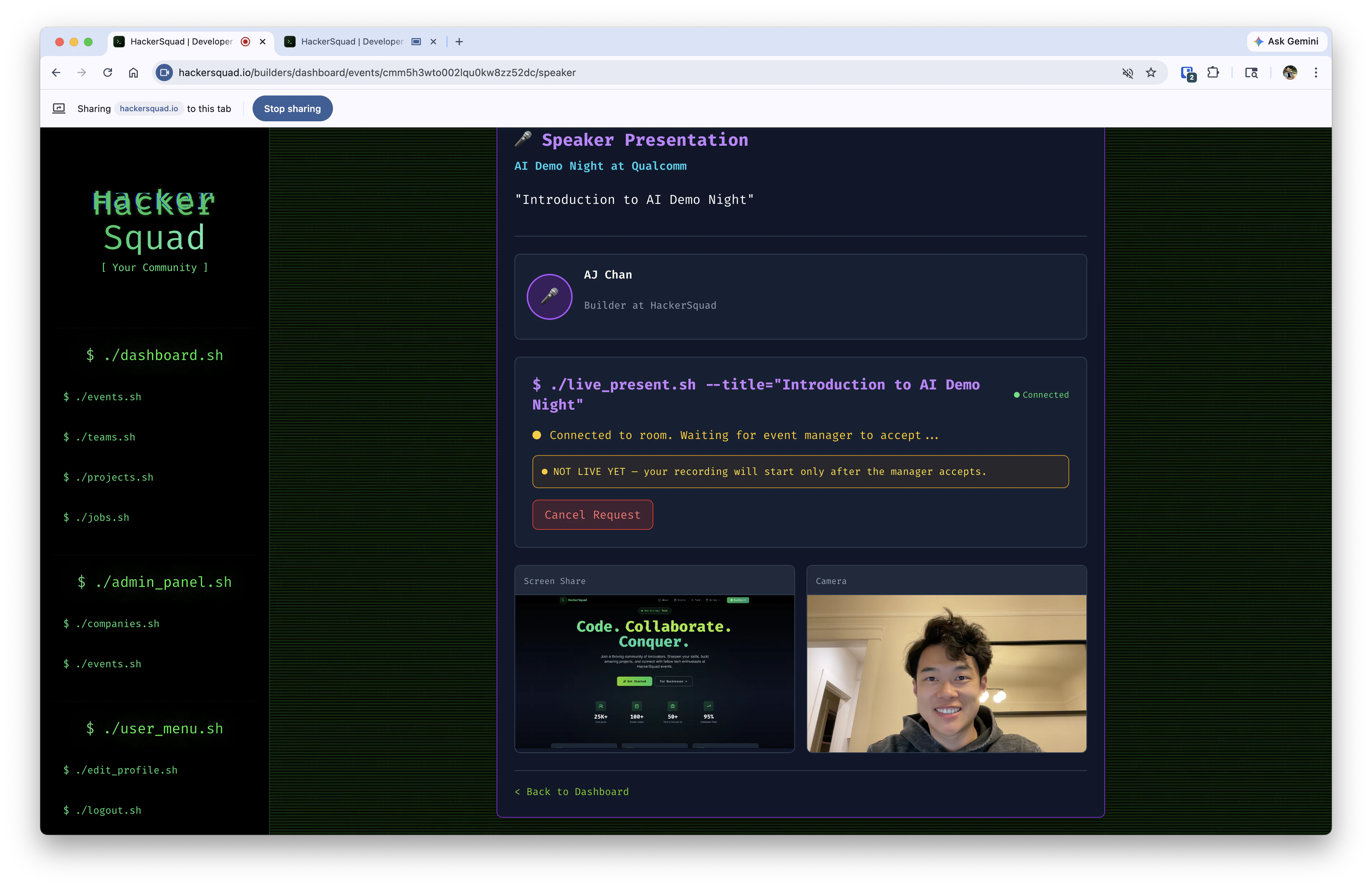
Once a speaker is approved, they go through the presentation request flow inside HackerSquad.- The speaker opens the presentation flow from the event experience.
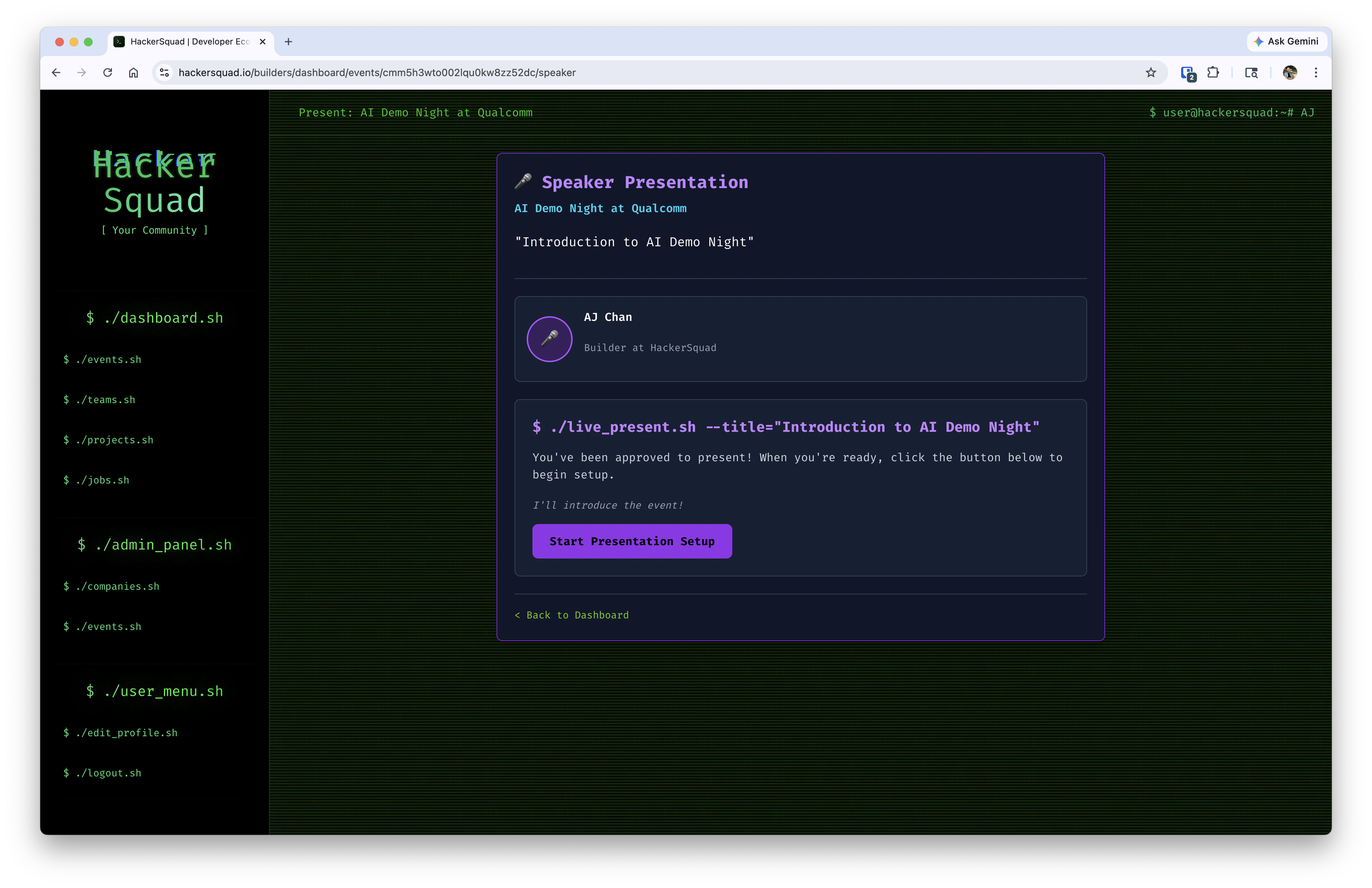
- The speaker begins the request to present.
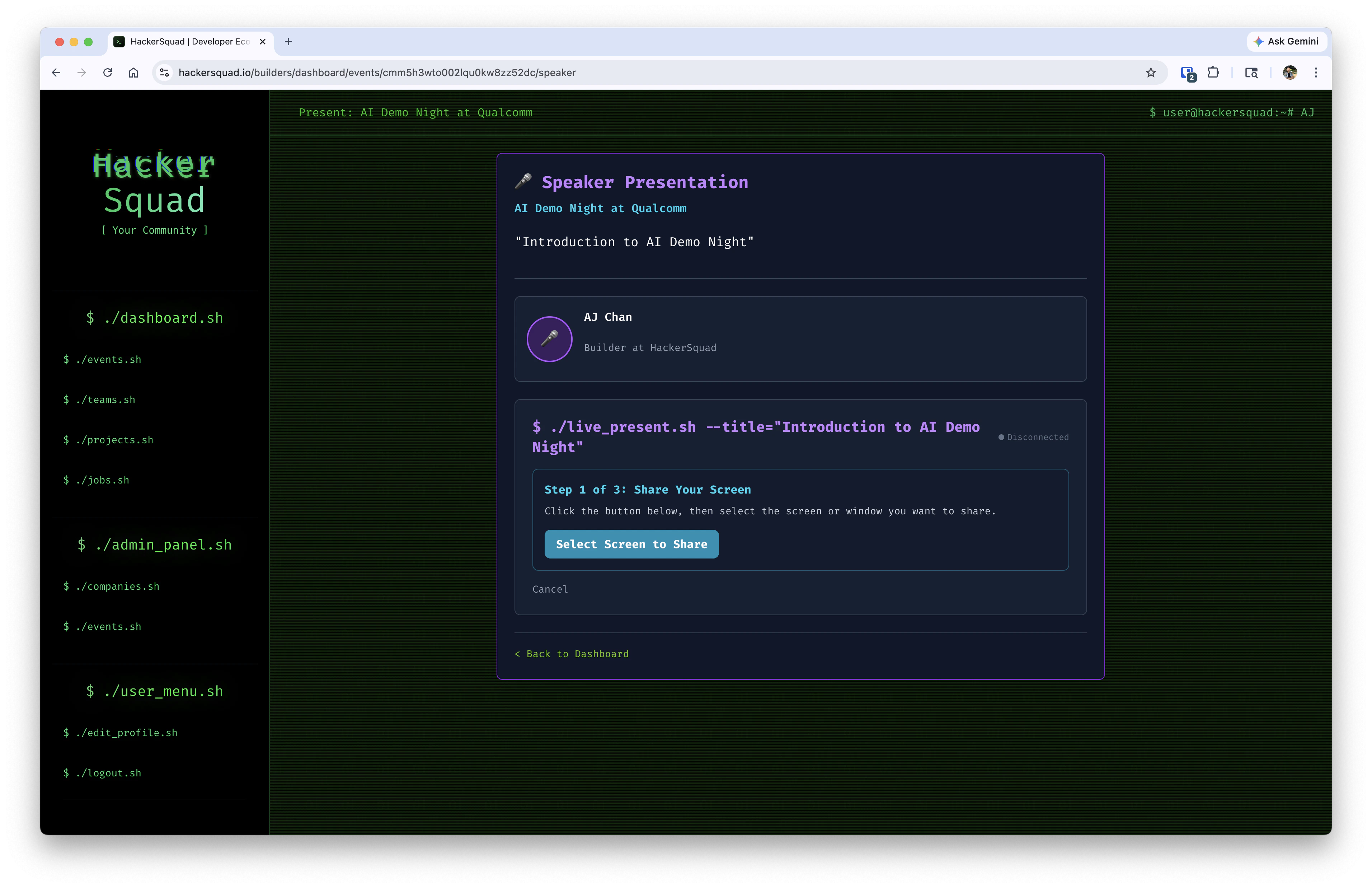
- The speaker continues through the presentation flow in HackerSquad.
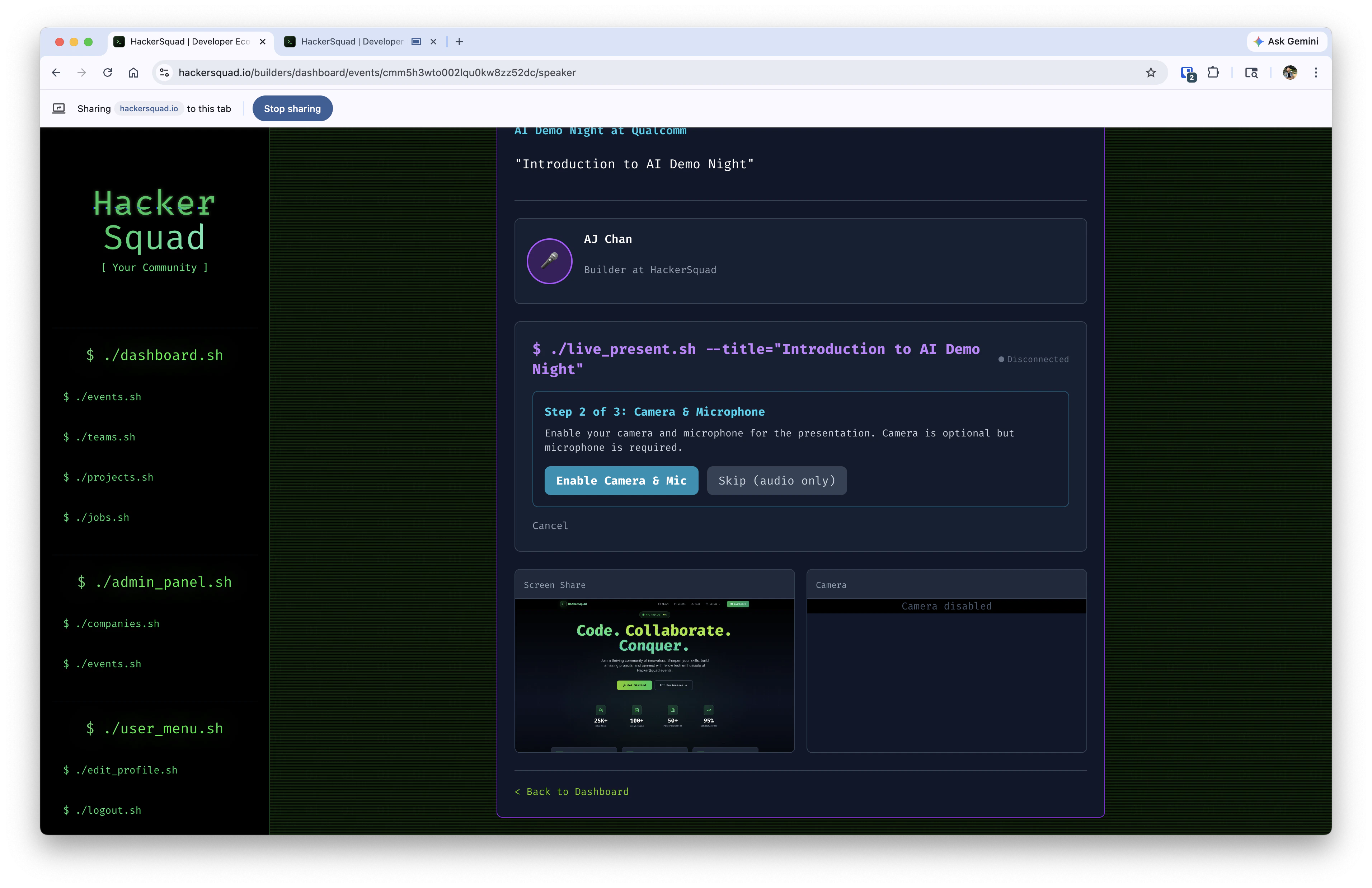
- The speaker reviews the presentation flow and confirms they want to go live.
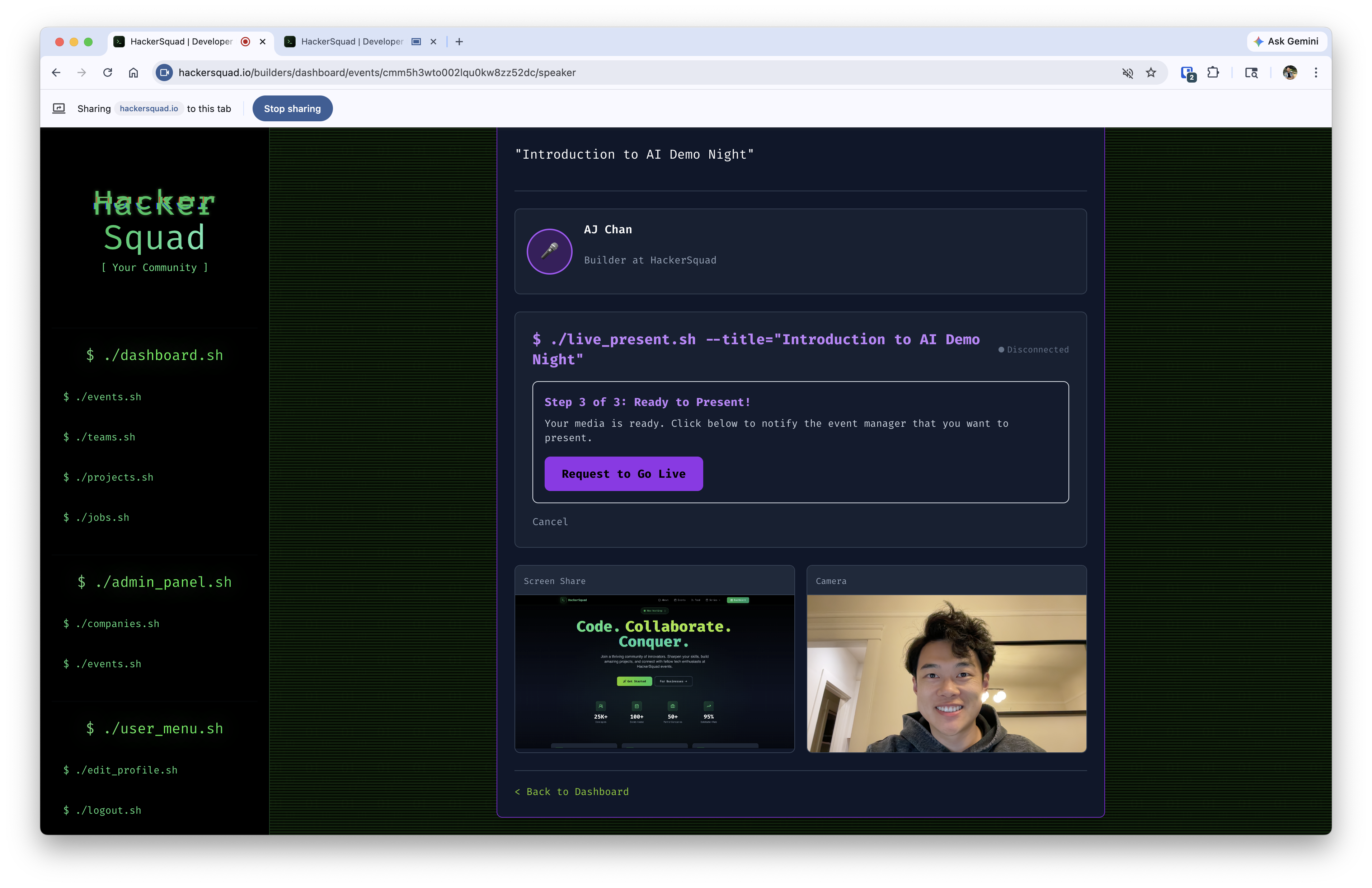
- The request is sent through HackerSquad so the base station can receive it and prepare the room display.
Why live presentation capture matters
Captured presentations help preserve key moments from the event, including talks, speaker sessions, and live walkthroughs. That recorded content can then support the post-event summary, alongside projects, demos, and other event activity captured in HackerSquad.Next steps
Post event summary
See how captured presentations contribute to the final event recap.
Conciseness
Continue into hosting tips that help you communicate clearly during your event.